الرئيسية بلوق الصفحة 6

Man Arrested for Alleged Role in SEC X Account Hack, Says Federal Authorities

0
SEC X Account Hack

Federal authorities have arrested an Alabama man accused of participating in the hack of the U.S. Securities and Exchange Commission (SEC) X account earlier this year.

Eric Council Jr. faces charges related to the January 9 hack, during which a post was published on the SEC’s X account falsely claiming the approval of Bitcoin ETFs on U.S. securities exchanges. This false announcement led to a $1,000 surge in Bitcoin’s price, according to the U.S. Attorney’s Office for the District of Columbia.

The indictment alleges that Council, along with unidentified co-conspirators, carried out a SIM swap on the phone of a person, referred to as “C.L.,” who had access to the SEC X account. It is claimed that Council received payments for performing SIM swaps, including the one involved in this hack.

On the day of the breach, Council allegedly received instructions from a co-conspirator on how to execute the SIM swap, along with personal information of the target. Council reportedly went to an AT&T store, using a fake ID he created to impersonate C.L. and claim to be an FBI agent in need of a replacement SIM card.

After purchasing a new iPhone, Council allegedly used it to receive a reset code for the @SECGov X account, which he forwarded to a co-conspirator who then posted the fraudulent Bitcoin ETF approval message. Following the hack, Council returned the iPhone for cash in Birmingham, Alabama.

Prosecutors also revealed that Council conducted several suspicious Google searches, including inquiries about the SEC hack, SIM swaps, and signs of FBI investigations.

Council now faces charges of conspiracy to commit aggravated identity theft and access device fraud.

SEC X Account Hack

ChatGPT Now Available on Windows: Exclusive Preview!

0
ChatGPT Windows

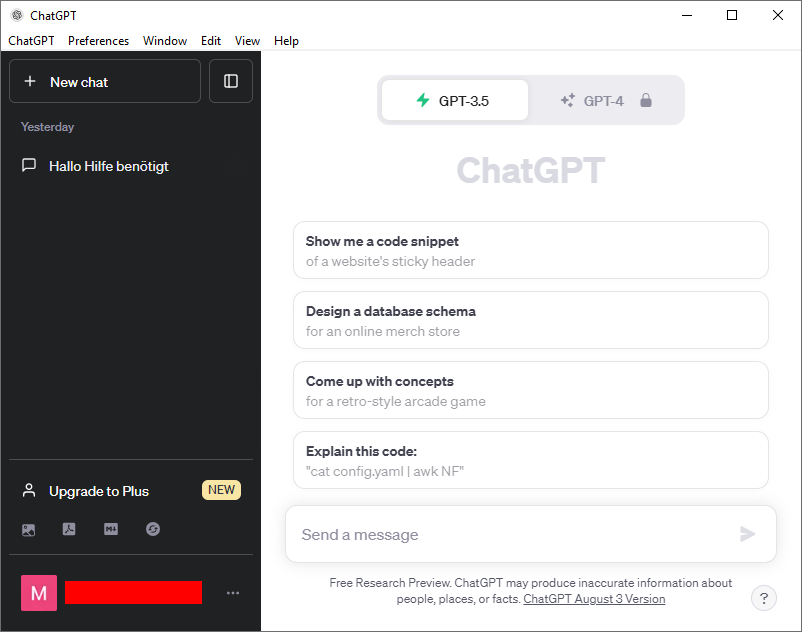
Exciting news! OpenAI has just launched a dedicated Windows app for ChatGPT. Currently, it’s in a preview phase and available exclusively to ChatGPT Plus, Team, Enterprise, and Edu users. This early version brings the latest model improvements, including access to OpenAI o1-preview, the newest and smartest model yet.

The Windows app works on most Windows 10 machines but has a few limitations compared to other ChatGPT clients. At the moment, it doesn’t support voice, including Advanced Voice Mode, and some integrations with OpenAI’s GPT Store aren’t functional. However, it still offers a range of powerful features. You can upload files and photos, summarize documents, and create images using OpenAI’s DALL-E 3 image generator.

Just like the macOS version, the ChatGPT app for Windows allows you to minimize it into a small “companion” window. This means you can chat with ChatGPT while working on other tasks seamlessly.

Stay tuned for the full release later this year. In the meantime, enjoy this preview and the incredible capabilities it offers!

How to Build a Thriving YouTube Community: Top Tips for Engaging Fans

0
YouTube community

Being a YouTube creator is about much more than just making videos and gaining subscribers; it’s about creating a community that truly connects with your content. Your channel is like a personal space on the internet where you can share your passions and engage with an audience that shares your interests. But how do you turn occasional viewers into a loyal fanbase that keeps coming back? Here are our top strategies for growing an active and connected community on YouTube.

Keep Conversations Going in the Comments

Think of your comment section as a virtual hangout spot. Engage with your audience by replying to their comments, answering questions, and starting conversations like you would with friends in real life. Show your viewers you’re a real person who values their input. Don’t hesitate to ask questions in your videos to encourage dialogue, or pin important comments for visibility. With YouTube Studio’s moderation tools, you can set the right tone for your comments.

Pro Tip: Did a comment inspire a new video idea? Reply with a YouTube Short that highlights that comment as the inspiration! If you’re short on time, even something as simple as hitting the heart button on a comment shows your viewers you appreciate them. Every interaction matters!

Engage Between Videos with Posts

Posts let you stay connected with your audience between uploads. Use them to share behind-the-scenes content, hold polls, tease upcoming projects, share funny moments, or give your fans a sneak peek into your world. These posts make your audience feel included and strengthen their connection to your channel. Plus, posts are visible to a wider audience than just your subscribers, giving you a chance to engage both casual and dedicated viewers.

Pro Tip: Next time you’re filming, snap a behind-the-scenes photo and share it in a post to give your audience a glimpse of what’s coming. People love unpolished, authentic content, so don’t stress about perfection!

Get Personal with Your Audience on Live Streams

Live streaming is one of the best ways to build a deeper connection with your audience—no editing needed! You can host Q&As, collaborate with a friend, teach a class, or simply chat with your viewers in a laid-back setting. Live streams allow you to foster a sense of community by including inside jokes or signature phrases that help your fans feel more connected to you.

Pro Tip: Try going live right before the Premiere of a new video. With YouTube’s Live Redirect feature, you can automatically send your live viewers to your video’s Premiere, building excitement for your latest content.

Reward Your Loyal Fans with Channel Memberships

Channel memberships give your most dedicated fans a way to support you through a monthly fee in exchange for exclusive perks. Offer members-only content, like videos, posts, or live streams, or create custom emojis to make your members feel like VIPs. This helps you cultivate a loyal fanbase while unlocking an additional revenue stream.

Pro Tip: Eligible creators can gift up to ten free memberships during live streams or Premieres. This gives fans a 1-month trial of your exclusive perks, helping them see the value in becoming long-term members.


Building a strong YouTube community takes time and effort, but with patience and authenticity, you can create a loyal fanbase that will support you on your creative journey. The more you engage with your audience and nurture your community, the stronger your bond will become. Happy creating!

Source: Youtube Blog

Read also: YouTube Unveils “Hype” to Empower Emerging Creators

Instagram Unveils New Safety Features to Combat Sextortion Scammers

0
Instagram safety features

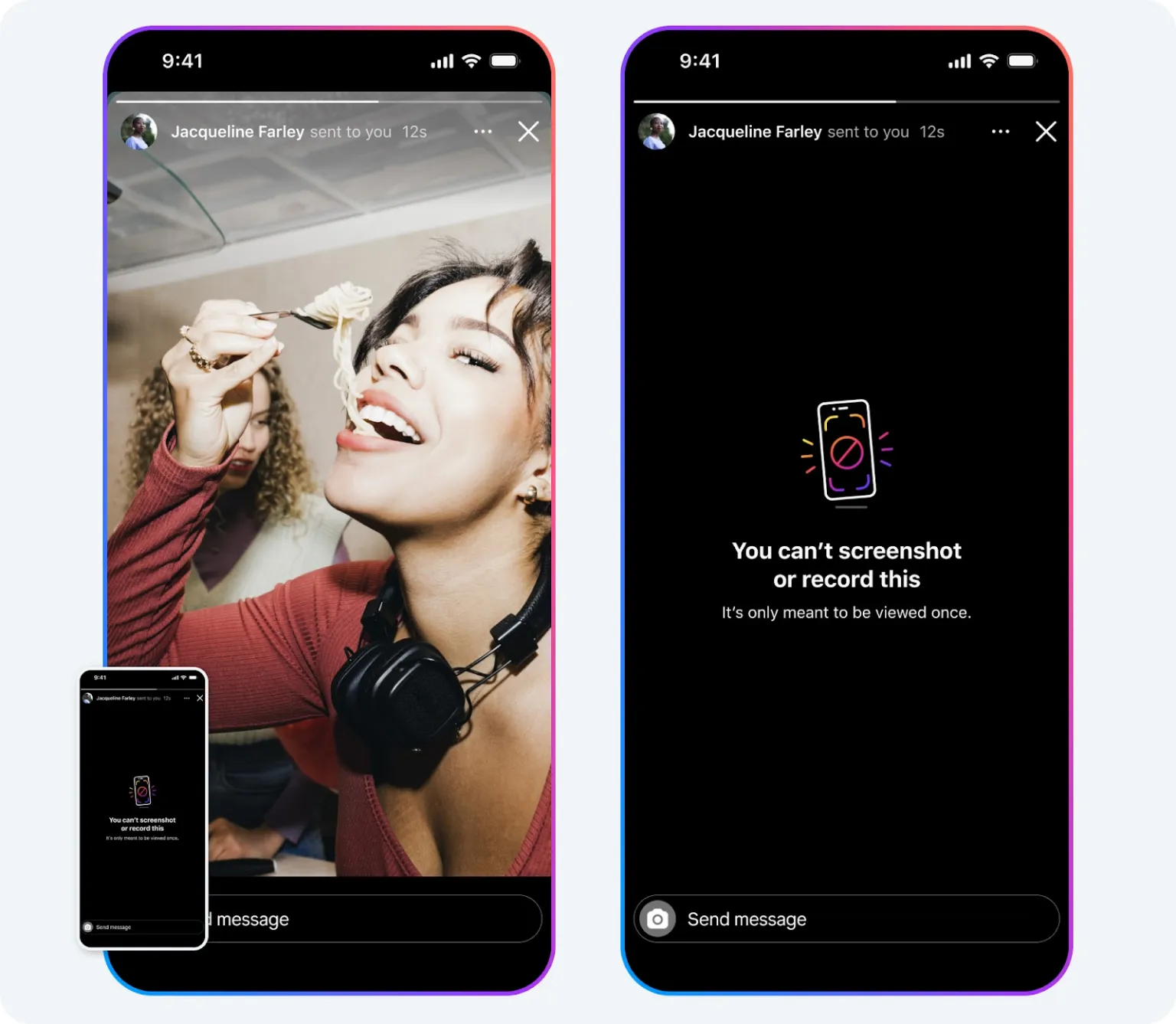
Instagram has announced the rollout of new safety measures aimed at protecting users from sextortion scams. The most significant update is the ban on taking screenshots or screen recordings of temporary images or videos sent via private messages. Previously, users could capture these “ephemeral” messages but the sender would be notified. Now, if you send a “view once” or “allow replay” message in DMs, the recipient will be unable to save it. Additionally, Instagram will block access to these features on the desktop, ensuring users can’t bypass the protection.

These updates take Instagram’s safety efforts a step further than those of Snapchat, which allows screenshots of ephemeral content with a notification to the sender. Instagram’s new rules ensure that once-viewed content remains truly temporary.

These measures come alongside Instagram’s ongoing efforts to protect teen users. Recent updates include “Teen Accounts,” which automatically limit who can message young users unless they follow each other. Instagram is now making it harder for suspicious or newly created accounts to follow teens by blocking or redirecting follow requests to spam folders. The app will also warn teens if they’re messaging someone who may be from a different country, a common tactic of sextortion scammers.

To further safeguard against scams, Instagram will restrict questionable accounts from viewing people’s follower lists, seeing who has liked posts, or accessing tagged photos. Instagram is also expanding its global rollout of a feature that blurs nudity in DMs by default, especially for teens, while warning senders of the risks of sharing explicit content.

To provide additional support, Instagram is partnering with Crisis Text Line in the U.S., giving users access to crisis counselors if they report issues like sextortion. The platform is also educating teens with videos on how to recognize and handle sextortion attempts and is collaborating with influencers like Bella Poarch and Brent Rivera to spread awareness. These new safety tools come in response to concerns raised by lawmakers about young users’ safety on social media platforms.

Instagram’s continued focus on safeguarding its community highlights its commitment to user protection and privacy, particularly for vulnerable groups.

Source: Instagram

Read also: How To Use Threads by Instagram Step by Step

Android 15 Launches with Major Privacy and Safety Features for Pixel Phones

2
Android 15 Launches with Major Privacy and Safety Features

Google has officially unveiled Android 15, the latest version of its mobile OS, now rolling out to compatible devices, starting with the Pixel series. This update brings several significant upgrades, particularly in the areas of security and privacy.

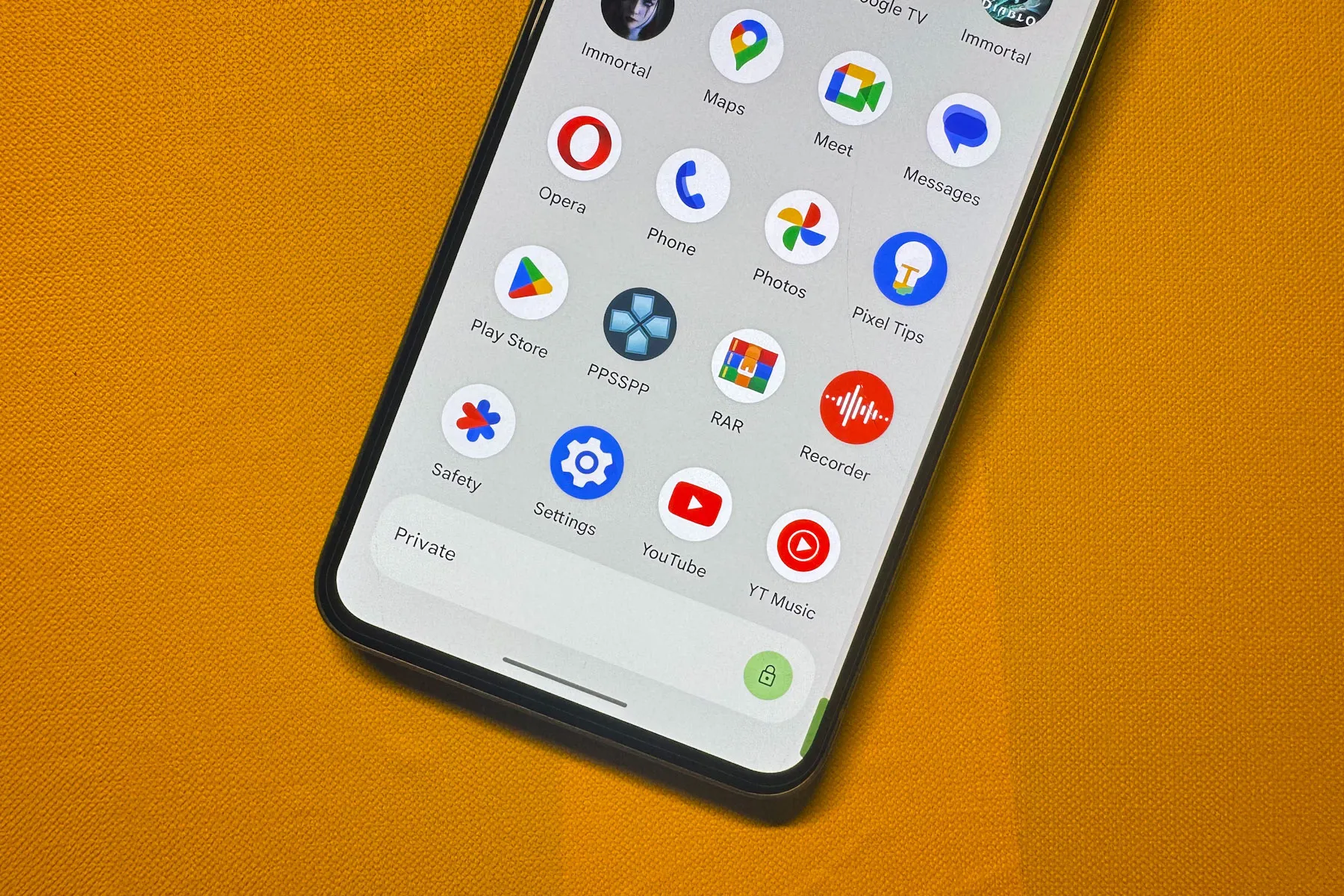
One of the standout features is Private Space, a dedicated section on the app drawer where users can securely store sensitive apps like banking or health-related tools. These apps remain hidden from multitasking views, settings, and notifications, providing an extra layer of privacy. Users can also choose to conceal the Private Space label in the app drawer for added discretion.

Additionally, Android 15 introduces Theft Detection Lock, an AI-powered tool that uses device sensors to detect potential theft attempts. When triggered, the system automatically locks the device to prevent unauthorized access. To further safeguard against tampering, Android 15 ensures critical systems like Find My Device are protected behind identity verification.

In terms of usability, Android 15 continues to optimize the experience for foldable and large-screen devices, allowing users to pin or remove the taskbar at the bottom of the screen. The update also brings enhanced lowlight camera performance in third-party apps and introduces satellite messaging support, expanding connectivity options in remote areas.

While Pixel devices—starting from the Pixel 6 series—are the first to receive Android 15, users with phones from other manufacturers will have to wait a bit longer for the update.

Source: Google blog

Read also: MediaTek Unveils Dimensity 9400 Chip for Next-Gen Android Flagships

Apple Introduces the New iPad Mini 7 with A17 Pro Chip and Apple Intelligence

0
iPad Mini 7 with A17 Pro Chip

Apple has officially launched the much-anticipated seventh-generation iPad mini. While the design remains largely the same as its predecessor, the real excitement lies beneath the surface with some key performance upgrades.

At the heart of the new iPad mini is the A17 Pro chip, the same processor found in the iPhone 15 Pro series. This 6-core CPU offers a 30% performance boost compared to the previous model, while its 5-core GPU enhances graphics capabilities, making the device perfect for both everyday tasks and more demanding applications.

Alongside the A17 Pro chip, the iPad mini 7 boasts an 8.3-inch Liquid Retina display, a 12MP primary camera, and compatibility with the Apple Pencil Pro, offering users a versatile experience.

According to Bob Borchers, Apple’s VP of Worldwide Product Marketing, the iPad mini remains unique due to its compact form factor paired with robust performance. “The iPad mini appeals to a wide range of users and has been built for Apple Intelligence, delivering intelligent new features that are powerful, personal, and private,” Borchers said. He added that the A17 Pro chip, along with faster connectivity and Apple Pencil Pro support, ensures that this latest iPad mini offers tremendous value in Apple’s most portable design yet.

Starting at $499, the new iPad mini 7 is available for preorder in blue, Space Gray, purple, and Starlight, with storage options of 128GB, 256GB, and 512GB. Consumers can choose between Wi-Fi-only and Wi-Fi + Cellular models, with the official release set for October 23 in 29 countries and regions. Notably, the base storage capacity has doubled from 64GB to 128GB, offering even more value to users.

Apple Intelligence, the company’s new AI-powered feature set, is expected to roll out via a software update before the end of the month. The iPad mini 7 will join other iPads with M1 chips or later in supporting these advanced features.

Adobe Unveils New Video Generation Features for Firefly AI Ahead of Adobe MAX

0
Adobe Firefly video generation

Ahead of its Adobe MAX event, Adobe has introduced new video generation features for its Firefly AI platform. As of today, users can explore Firefly’s video generator directly on Adobe’s website or test the new AI-powered Generative Extend feature in the Premiere Pro beta app.

On the Firefly website, users can experiment with both text-to-video and image-to-video models, which create AI-generated videos up to five seconds long. Adobe notes that Firefly was trained to produce both animated and photo-realistic media, based on user prompts. Firefly can even integrate text into videos, addressing a challenge many AI image generators have struggled with. The web app also offers various settings to control camera movement, angle, and shot size.

In Premiere Pro’s beta, Firefly’s Generative Extend feature allows users to add up to two seconds of extra footage to video clips. This tool enhances existing scenes by continuing the subject’s movement and extending background audio. While it won’t recreate voices or music to avoid copyright issues, it gives users their first look at Adobe’s AI audio model.

Initial feedback from demos suggests that the Generative Extend tool is more practical and impressive than Firefly’s text-to-video model, though the latter is still in development. Adobe has prioritized editing tools over full video generation to align with its core audience of creative professionals.

Adobe is mindful of the concerns from creatives about AI replacing traditional methods. Generative Extend addresses an existing issue for editors — not having enough footage — rather than replacing the entire creative process. According to Adobe’s VP of generative AI, Alexandru Costin, the focus is on generative editing to complement and enhance workflows, allowing creators to work faster and more efficiently.

Adobe has already seen success with similar tools in its image model for Photoshop, where the Generative Fill feature has become one of the most used in recent history. The company hopes to replicate this with Firefly’s video capabilities.

To reassure creatives, Adobe has implemented ethical practices, such as paying contributors to help train the AI model and ensuring Firefly only generates “commercially safe” media. Firefly won’t create content involving sensitive subjects like violence, drugs, or copyrighted materials.

Additionally, Adobe will insert metadata watermarks identifying AI-generated videos. This initiative, similar to Meta’s identification tools on platforms like Instagram, helps ensure transparency while protecting authenticity in media creation.

As Adobe continues to refine its AI tools, the company is positioning Firefly as a valuable asset to both video editors and content creators, enhancing productivity without compromising creativity.

Visit Adobe FireFly Video Waitlist.

Learn more: Experience Apple’s AI Features Early: Download the iOS 18.1 Public Beta Now

Everything You Need to Know About Call of Duty: Black Ops 6 – Release Date, Gameplay, and Preorder Info

0
Call of Duty: Black Ops 6

With the completion of the Modern Warfare trilogy, it’s time to shift focus to the Call of Duty timeline, especially as the Black Ops series prepares to make a major comeback. Call of Duty: Black Ops 6 is slated to pick up where Cold War left off and promises to be the most ambitious installment yet, possibly earning its place as the best Call of Duty game to date. The initial reveals were cryptic, reflecting the game’s themes of truth and deception, but we’ve gathered enough intel to give you a clearer picture of what’s to come.

Release Date and Platforms
Call of Duty: Black Ops 6 is scheduled to launch on Friday, October 25, 2024. The game will be available on both current and last-gen consoles, including PlayStation 4, PlayStation 5, Xbox One, Xbox Series X/S, and PC. As a cross-platform multiplayer game, it will bring players from all systems together once again.

Story and Setting
The reveal trailer sets Black Ops 6 in 1991, shortly after the Cold War. Russel Adler’s reappearance in Kuwait sparks a conspiracy involving a group called “The Pantheon,” which has infiltrated the CIA. Players, alongside Adler and new characters Sev and Felix, must go rogue to stop their plans. Fan-favorite Frank Woods returns in a mentoring role, no longer a field agent, guiding the protagonist, Troy Marshall.

Expect a mix of classic Black Ops-style action with diverse missions ranging from high-intensity shootouts to stealth and even non-violent objectives like robbing a casino. The return of the open mission structure, last seen in Modern Warfare 3, allows players to tackle objectives in various ways.

New Gameplay Mechanics
The biggest gameplay innovation in Black Ops 6 is the “Omnimovement” system, which adds new directional movement options, allowing players to sprint even backwards. Sliding, diving, and going prone are smoother and more dynamic. Multiplayer launches with 16 new maps, including 12 for 6v6 game modes and four that can be played as 6v6 or 2v2. The classic Prestige system is also back, offering 10 levels of progression and 1,000 additional levels after reaching Prestige Master.

Players can also fully customize their HUD for the first time, allowing for a more personalized gaming experience.

Zombies Mode
Zombies make a return, diving deeper into the Dark Aether storyline. The action unfolds on two new round-based maps, Terminus and Liberty Falls, featuring characters like Grigori Weaver and new faces like Mackenzie “Mac” Carver. The Zombies mode introduces new weapons, such as the powerful Beamsmasher, and a killstreak called Mutant Injection, which temporarily transforms players into a Mangler. A new Augments system offers ways to upgrade perks and mods.

Preorder Editions
Players can preorder Call of Duty: Black Ops 6 with two available editions:

  • Cross-Gen Bundle ($70): Includes the base game, open beta access, and the Woods Operator pack.
  • BO6 Vault Edition ($100): Includes everything from the Cross-Gen Bundle plus the Hunters vs. Hunted Operator pack, Mastercraft Collection, one season of BlackCell, and a Zombies GobbleGum pack.

Call of Duty: Black Ops 6 is shaping up to be a must-play, packed with innovative gameplay, thrilling storylines, and exciting multiplayer features. Stay tuned for more updates as we approach its October 2024 release!

Read also: Call of Duty: Modern Warfare 3 Initiates Testing of Previously Restricted Weapons in Ranked Play

Source: Call of Duty: Black Ops 6

Best Free Screen Recording Software in 2024

0
Best free screen recording software

Whether you’re creating tutorials, recording gameplay, or documenting bugs, finding the right screen recording software is key. Fortunately, many powerful tools are available for free, offering a range of features without requiring a paid subscription.

Here’s the updated list of the best free screen recording software available in 2024:


1. OBS Studio

  • Platforms: Windows, macOS, Linux
  • Features:
    • Unlimited recording without watermarks
    • Highly customizable with advanced settings
    • Built-in streaming to platforms like Twitch and YouTube
  • Ideal for: Advanced users, gamers, and streamers who need maximum control over their recordings.
  • Why it stands out: OBS Studio is a powerhouse for screen recording and streaming, making it the go-to for professionals who want complete control over their setup.

2. Bandicam

  • Platforms: Windows
  • Features:
    • High-quality screen and game recording
    • Lightweight and optimized for performance
    • Supports 4K UHD recording and compression
  • Ideal for: Gamers, professionals, and anyone who needs high-performance recording.
  • Why it stands out: Bandicam is known for its ability to record in high resolution while using less CPU, making it a great option for gamers and users who need smooth, high-quality captures. The free version has a 10-minute recording limit and includes a watermark.

3. ShareX

  • Platforms: Windows
  • Features:
    • No watermarks or time limits
    • Advanced screenshot tools and GIF creation
    • Numerous custom capture options, including region capture
  • Ideal for: Users who need a versatile tool for both screen recording and capturing high-quality screenshots.
  • Why it stands out: ShareX is a robust, lightweight solution with advanced capture features for power users.

4. FlashBack Express

  • Platforms: Windows
  • Features:
    • Records screen, webcam, and microphone
    • No time limit or watermark in the free version
    • Simple, intuitive interface
  • Ideal for: Beginners and professionals needing quick, hassle-free recordings.
  • Why it stands out: FlashBack Express delivers high-quality screen recordings without watermarks, making it perfect for users who want clean outputs.

5. ScreenPal (formerly Screencast-O-Matic)

  • Platforms: Windows, macOS, Chromebook
  • Features:
    • Simple and user-friendly interface
    • Offers both screen and webcam recording
    • Built-in video editing tools in the free version
  • Ideal for: Educators, students, and content creators looking for a simple solution.
  • Why it stands out: ScreenPal provides easy sharing options and video editing, but the free version adds a small watermark.

6. Loom

  • Platforms: Windows, macOS, Chrome extension
  • Features:
    • Instant cloud sharing and storage
    • Records screen and webcam simultaneously
    • Integrated sharing links for teams and quick feedback
  • Ideal for: Teams, educators, and business professionals needing quick, shareable recordings.
  • Why it stands out: Loom’s focus on fast, shareable videos with cloud storage makes it a favorite among professionals, although the free version has a 5-minute recording limit.

7. Screencastify

  • Platforms: Chrome extension
  • Features:
    • Browser-based screen recorder with no downloads required
    • Built-in editing tools for trimming, cropping, and merging clips
    • Instant Google Drive integration for easy sharing
  • Ideal for: Educators, students, and Chrome users who need a simple tool for browser-based recording.
  • Why it stands out: Screencastify is a lightweight, browser-based tool perfect for quick recordings and simple editing. The free version includes a 5-minute recording limit and watermark.

8. VokoScreen

  • Platforms: Linux
  • Features:
    • Lightweight and easy to use
    • Supports multiple formats for screen recording
    • Includes webcam recording
  • Ideal for: Linux users who need a basic yet efficient screen recorder.
  • Why it stands out: VokoScreen is a solid choice for Linux users looking for a simple, no-fuss screen recording tool.

Conclusion

Whether you’re a gamer, teacher, or business professional, these free screen recording tools provide excellent functionality without breaking the bank. From the highly customizable OBS Studio to the user-friendly ScreenPal and Bandicam, there’s an option for every type of user. Choose the one that fits your workflow and start capturing high-quality screen recordings today!

Read also: How To Use Samsung Built-in Screen Recorder

MediaTek Unveils Dimensity 9400 Chip for Next-Gen Android Flagships

1
Dimensity 9400 Chip

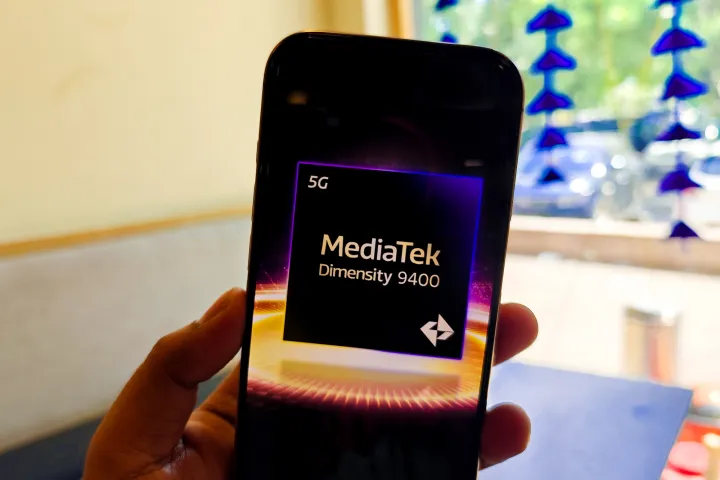
MediaTek is setting the stage for the next wave of flagship Android phones and tablets with the launch of its latest processor. The Dimensity 9400, debuting in late 2024, is expected to power upcoming Android devices with cutting-edge technology.

The upgrades are significant, starting with MediaTek’s move to TSMC’s 3nm second-generation process, a leap from the 4nm tech of the previous generation. This transition allows the Dimensity 9400 to offer 40% better energy efficiency, while boosting single-core CPU performance by 35% and improving multi-core speeds by 28%.

The chip features an all-big-core architecture, led by a powerful Arm Cortex-X925 running at 3.62GHz. It is paired with three Cortex-X4 cores at 3.3GHz and four Cortex-A720 cores, clocked at 2.4GHz.

On the graphics front, MediaTek has delivered major improvements with its 12-core Immortalis G925 GPU. Offering a 41% increase in raw graphics power, it also enhances ray tracing performance by 40%, while using 44% less energy.

The memory system has been upgraded to the LPDD5X standard, delivering a 25% performance boost. In terms of photography and videography, the Imaqiq 1090 ISP now supports 8K video recording at 60fps, along with HDR across all zoom levels for photos and videos.

The Dimensity 9400 also features AI-driven enhancements for imaging, including AI-assisted super zoom and 14% lower power consumption for recording 4K video at 60fps. Additionally, MediaTek has integrated advanced audio processing capabilities, supporting AI-powered noise reduction using up to six microphones.

AI remains a core focus for MediaTek, with its 8th-generation neural processing unit (NPU) introducing a feature called Agentic AI. The AI engine is 35% more power-efficient while delivering double the performance in tasks like diffusion and an 80% boost in large language model (LLM) processing. Notably, the Dimensity 9400 is the first chip capable of on-device video generation and LoRA training.

While the ability to generate video on-device is groundbreaking, it presents significant challenges. AI video generation requires immense processing power, and even industry leaders like OpenAI and Meta have yet to release such features publicly due to the sheer computational demands. It remains to be seen if MediaTek’s Dimensity 9400 will lead the way in making this a reality on mobile devices.

Official MediaTek website

Read more like Dimensity 9400 Chip: New Android 15 Safety Features Rolling Out: Theft Detection, Offline Device Lock, and Remote Lock