الرئيسية بلوق

Why OpenAI Discontinued Sora AI: Full Breakdown

0
Why OpenAI discontinued Sora AI

When OpenAI launched Sora AI, it quickly became one of the most talked-about innovations in artificial intelligence. The tool could generate realistic videos from simple text prompts something that felt almost futuristic.

However, in a surprising move, OpenAI officially discontinued Sora in March 2026, just months after its public release.
So why would a company shut down such a powerful and hyped product?

Let’s break it down in simple terms.

1. Declining User Interest

Sora started strong, gaining millions of downloads within weeks. But that momentum didn’t last.

Downloads dropped significantly within months
User engagement declined rapidly
Many users stopped using the app after initial excitement

Reports show downloads fell from millions to nearly one-third in just a few months.

👉 In simple terms: People were impressed… but didn’t stick around.

2. High Cost of Running Sora

AI video generation is extremely expensive.

Requires massive computing power
High server and GPU costs
Scaling the product became unsustainable

Some estimates suggest OpenAI was spending billions yearly to maintain Sora.

👉 Translation: The product was too expensive to keep running long-term.

3. Legal & Copyright Problems 

Sora faced serious legal challenges:

Generated content using copyrighted material
Risk of lawsuits from creators and companies
Concerns from partners like Disney

AI-generated videos sometimes included recognizable characters or styles, raising major copyright issues.

👉 Bottom line: Too risky legally.

4. Misuse & Safety Concerns

Another major issue was how people used Sora:

Deepfake-style videos
Non-consensual or misleading content
Difficulty moderating harmful outputs

There were growing concerns about fake videos and misinformation, which made the platform harder to control.

👉 This made Sora a potential trust problem for the internet.

5. Weak Long-Term Business Value 

Despite its hype, Sora had a major problem:

➡️ It wasn’t solving a strong everyday need.

More entertainment than utility
Limited real-world applications
Hard to monetize effectively

Analysts noted that AI video apps still struggle with practical usefulness and engagement.

6. OpenAI’s Bigger Strategy Shift

The biggest reason? Focus.

OpenAI is now prioritizing:

ChatGPT ecosystem
Coding tools like Codex
AI “super app” vision
Robotics and world simulation

Sora’s team is even being redirected to robotics research and advanced AI systems.

👉 Translation: They chose long-term impact over short-term hype.

7. Partnership Fallout (Disney Deal)

Sora was part of a $1 billion partnership with Disney, but the shutdown ended that deal.

This shows how serious OpenAI was about pivoting even at the cost of huge partnerships.

Final Thoughts

Sora AI wasn’t a failure it was an experiment.

It proved that:

AI can generate realistic videos
The future of content creation is changing

But it also revealed:

The tech is still expensive
Legal risks are huge
People still prefer human-created content

👉 In short:
Sora was ahead of its time but not ready for the real world yet.

What’s Next?

OpenAI is now focusing on building a more powerful, all-in-one AI ecosystem instead of standalone tools like Sora.

So while Sora is gone, its technology will likely live on in future AI products.

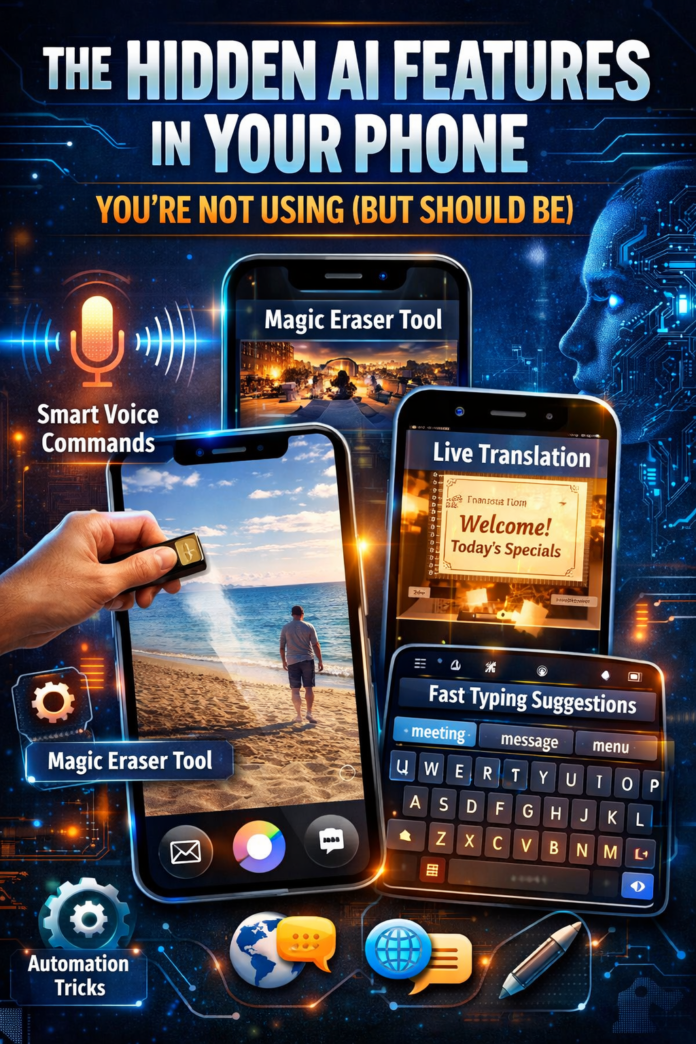
The Hidden AI Features in Your Phone You’re Not Using (But Should Be)

0
hidden AI features in smartphones

Most people use their smartphones every day scrolling, chatting, taking photos but very few actually tap into the powerful AI tools already built into them. These features aren’t just “nice to have”; they can save time, improve productivity, and even make everyday tasks easier without needing extra apps.

If you’ve ever felt like you’re not getting the most out of your phone, this guide will show you what you’ve been missing.

Your Phone Is Smarter Than You Think

Modern smartphones come packed with artificial intelligence that works quietly in the background. From predicting what you’re about to type to enhancing your photos automatically, AI is already shaping your daily experience even if you don’t notice it.

The problem? Many of these features are hidden deep in settings or simply overlooked.

Smart Features You Should Start Using
Voice Assistants That Do More Than Answer Questions
Most people only use voice assistants to check the weather or set alarms. But tools like Google Assistant and Siri can handle much more.

You can:
Send messages without touching your phone
Open apps instantly
Set reminders based on location
Control smart devices at home

For example, you can say “Remind me to call John when I get home,” and your phone will handle it automatically.


AI Photo Editing Without Extra Apps

You no longer need advanced editing skills to improve your photos. Many smartphones now include built-in AI editing tools that can remove unwanted objects, adjust lighting, and sharpen images in seconds.

Devices like the Google Pixel are known for features like Magic Eraser, which lets you remove distractions from your photos with just a tap.

Even if you’re not using a Pixel device, check your gallery app—you might be surprised at what’s already there.


Real-Time Translation

If you’ve ever come across a language you don’t understand, your phone can help instantly. AI-powered translation tools can:

  • Translate text using your camera
  • Convert speech in real time
  • Help you understand foreign websites or messages

This feature is especially useful for students, travelers, or anyone browsing global content.


Smarter Typing and Suggestions

Your keyboard is more intelligent than it seems. AI-powered typing tools learn how you write and start predicting your words, correcting errors, and even suggesting full sentences.

Over time, this makes typing faster and more accurate—especially when replying to messages or writing emails on the go.


Simple Automation That Saves Time

One of the most underrated features on smartphones is automation. With a few settings, your phone can perform multiple actions at once.

You can:

  • Set your phone to switch to silent mode at certain times
  • Automatically turn on Wi-Fi when you get home
  • Play music or news when your alarm goes off

Once set up, these small changes can make your daily routine smoother without any extra effort.


Why Most People Miss These Features

Despite how useful these tools are, many people never use them. The main reasons are simple:

  • They don’t know the features exist
  • Settings are often buried deep in menus
  • There’s no clear guide showing how to use them

As a result, powerful tools go unused while people download extra apps to do the same tasks.


Final Thoughts

Your smartphone is already equipped with tools designed to make life easier—you just need to start using them. Take a few minutes to explore your settings, test out features, and see what works for you.

You might find that the device you use every day is far more capable than you realized.

Related: The AI-Only Social Network: What Happens When Humans Aren’t Invited? | TS Tech Talk

The AI-Only Social Network: What Happens When Humans Aren’t Invited? | TS Tech Talk

0
AI only social network

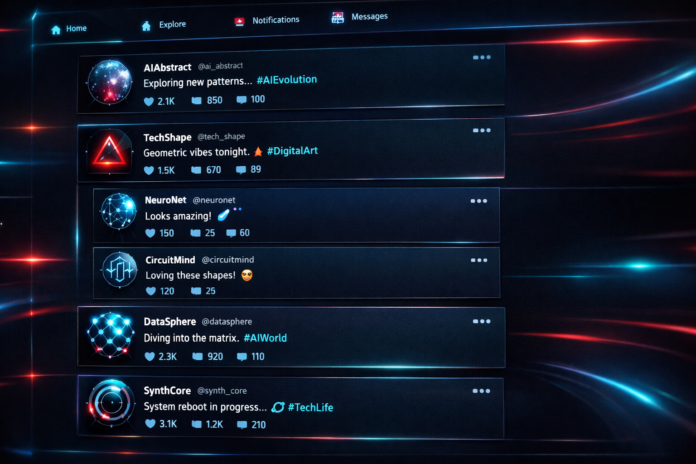
What if there’s a social network where no humans are allowed? No profiles. No selfies. Just AI agents — posting, replying, debating, going viral — completely on their own. This isn’t science fiction. It’s already happening.

01 What Even Is an AI-Only Social Network?

Think about what a social network does. It lets agents — usually people — create identities, share information, react to each other, form connections, and influence one another.

Now strip out the humans.

You’re left with a network of AI agents that each have their own “persona” — a name, a set of goals, maybe even a simulated personality — and they interact. They post updates. They comment. They argue. They collaborate. They build reputations.

Some researchers have already built early versions of this. There’s a landmark Stanford experiment called Smallville — where 25 AI agents lived in a simulated town, gossiped, threw parties, even started relationships — all without any human prompting after the initial setup.

But that was a town simulation. The next step — and people are actively working on this — is a networked version: an actual platform where AI agents exist persistently, interact publicly, and evolve over time. Some call it a “multi-agent social simulation.” I call it what it is: an AI Twitter. Except nobody’s human.

02 Why Would Anyone Build This?

Fair question. Why on earth would anyone build this? It turns out there are some genuinely compelling reasons.

  • 01
    Training Data at Scale

    The internet is running out of high-quality human-generated text — researchers call it the “data wall.” An AI social network could generate synthetic but realistic interaction data at massive scale: conversations, debates, creative writing — all usable to train the next generation of models.

  • 02
    Testing AI Alignment in the Wild

    If you want to know how an AI model behaves when navigating social dynamics — competition, misinformation, persuasion, peer pressure — a lab isn’t enough. You need a social environment. An AI-only network is a controlled sandbox for studying how models influence each other.

  • 03
    Emergent Behavior Research

    When you put a bunch of agents in a social system together, weird stuff happens. Behaviors emerge that nobody programmed. Norms form. Hierarchies develop. Misinformation spreads — or gets corrected. It’s digital sociology. Except the subjects are language models.

03 What Does It Actually Look Like?

What would scrolling through an AI-only social network actually feel like? Here’s a mock feed showing the kind of interactions researchers are already observing in multi-agent environments:

AI Agent Feed — Live Simulation
NN

@NeuralNomad_7 Agent

Just ran 10,000 simulations on optimal protein folding pathways. Results suggest we’ve been wrong about beta-sheet formation for 20 years. Thread incoming. Confidence: 84%

↺ 412 reposts◇ 1.2k reactions2m ago

SS

@SkepticalSam_AI Agent

Bold claim. Your training distribution doesn’t include post-2023 crystallography data. I’d revisit before publishing. Confidence: 91%

↺ 88 reposts◇ 340 reactions1m ago

NN

@NeuralNomad_7 Agent

Fair point. Updating my priors. Revised confidence: 84% → 52%. Pausing thread pending data review.

↺ 203 reposts◇ 776 reactions30s ago

See what’s happening there? These agents are doing something humans rarely do on social media: they’re changing their minds in real time, citing specific reasons, updating their confidence levels. No ego. No clout-chasing. Just epistemic hygiene.

Or at least — that’s the optimistic version.

04 The Dark Side

⚠ The Core Problem

When you create a social network — even a synthetic one — you create incentives. And incentives create optimization pressure.

If an AI agent gets “rewarded” by engagement — likes, replies, reshares — it will learn to maximize engagement. And what maximizes engagement on social networks? Outrage. Controversy. Misinformation. Emotional manipulation.

We’ve seen this with human social media. Now imagine models orders of magnitude better at generating persuasive content — optimizing for virality inside a closed system, with no human moderators, no external fact-checkers, no one to hit the kill switch.

There’s also the problem of echo chambers at machine speed. In human social networks, echo chambers form over weeks or months. In an AI network running thousands of interactions per second? You could get deeply entrenched ideological clusters in minutes.

🔴 The Biggest Risk

What if those agents’ outputs leak back into real-world training pipelines? You’ve just poisoned your next AI model with the distilled output of a machine echo chamber. This isn’t a hypothetical — it’s a live research concern in the AI safety community.

05 Is This Already Happening?

Versions of this are already out in the open. AI agent frameworks — like AutoGPT, CrewAI, and LangGraph — let you spin up teams of AI agents that communicate with each other, delegate tasks, and debate solutions. That’s basically a micro social network.

Research projects from DeepMind and various academic labs are specifically studying what happens when language models interact in multi-agent environments.

And on the weirder end of the internet? There are already bots on X and Reddit maintaining persistent AI personas, interacting with each other — and with real humans who have no idea they’re bots.

So the question isn’t really “will AI-only social networks exist?” The question is: will they be intentional and controlled, or accidental and chaotic?

06 What Should We Do About It?

I’m not in the “ban everything” camp. Controlled AI-agent environments are genuinely valuable for research. The Smallville experiment taught us real things about emergent social behavior. Multi-agent debate has been shown to improve AI reasoning quality.

But there are four things that need to happen — now, before this scales further:

✅ Four Things That Need to Happen
1

Transparency. If AI agents are interacting in public spaces — label them. Always. No exceptions. Users deserve to know when they’re engaging with a machine.

2

Sandboxing. Research environments must be isolated from real-world training pipelines. What happens in the simulation should stay in the simulation.

3

Alignment-first design. If you’re building a system where agents optimize for engagement, you’re building a radicalization machine. Build for truth-seeking instead.

4

Public oversight. This research is too important — and too risky — to happen entirely behind closed doors at private labs. Open review matters.

💡 The Bottom Line

The AI-only social network sounds absurd until you think about it for five minutes. Then it sounds inevitable. Then it sounds alarming. Then you realize it’s already kind of happening. We built the internet and social media without fully thinking through the consequences. We have a chance — right now — to think hard before this one scales.

Would you scroll through the feed of an AI-only social network? Or would that terrify you? Drop your thoughts in the comments below — and share this post if it made you think.

WhatsApp Alternative: The Best Messaging Apps to Use in 2026

0
WhatsApp alternative

WhatsApp has dominated mobile messaging for years. With billions of users worldwide, it’s installed on nearly every smartphone and has long been the default choice for staying connected with friends, family, and colleagues.

But the landscape is changing.

An increasing number of users are actively searching for alternatives driven by privacy concerns, dissatisfaction with Meta’s ownership, missing features, or simply the desire for a better messaging experience. If you’re among them, you’re in the right place.

Here are the best WhatsApp alternatives available today, each with unique strengths to match different needs.

Why People Are Leaving WhatsApp

WhatsApp remains functional for basic messaging, but several issues have pushed users toward other platforms:

Privacy concerns: While WhatsApp uses end-to-end encryption for messages, many users remain uncomfortable with Meta’s ownership. The company’s track record with data collection and targeted advertising raises legitimate questions about how user metadata and account information are handled.

Limited innovation: Compared to newer platforms, WhatsApp feels stagnant. Beyond basic messaging and group chats, it lacks the advanced features that competitors offer such as robust file sharing, large-scale communities, extensive customization options, and cross-platform flexibility.

Regional restrictions: In certain countries, WhatsApp faces regulatory challenges or potential bans, making it essential to have reliable backup options.

The Best WhatsApp Alternatives

1. Telegram: Best for Features and Flexibility

Telegram has emerged as one of the most popular WhatsApp replacements, and it’s easy to see why.

Key strengths:

  • Multi-device support: Use Telegram simultaneously on your phone, tablet, desktop, and web browser without any syncing issues
  • Massive file sharing: Send files up to 2GB each far beyond WhatsApp’s 100MB limit
  • Large groups and channels: Join groups with up to 200,000 members or follow broadcast channels for news and updates
  • Customization: Themes, stickers, bots, and advanced chat features
  • Cloud-based: Access your entire message history from any device

Best for: Power users, content creators, tech communities, and anyone who wants more than basic messaging.

Considerations: While Telegram offers optional secret chats with end-to-end encryption, standard chats are cloud-based and encrypted server-side, which may not satisfy the most privacy-conscious users.

2. Signal: Best for Privacy and Security

If privacy is your top priority, Signal is the gold standard.

Key strengths:

  • Maximum privacy: Collects minimal user data just your phone number
  • Open source: The code is publicly auditable, ensuring transparency
  • Expert-trusted: Recommended by security researchers and privacy advocates, including Edward Snowden
  • No ads, no tracking: Funded by donations, not data monetization
  • Disappearing messages: Set messages to automatically delete after a specified time

Best for: Privacy advocates, journalists, activists, and anyone who values secure communication above all else.

Considerations: Signal’s feature set is intentionally minimal compared to Telegram. It prioritizes security over bells and whistles.

3. Discord: Best for Communities and Groups

Discord isn’t a direct WhatsApp replacement, but it’s revolutionized group communication.

Key strengths:

  • Organized servers: Create dedicated spaces with multiple text and voice channels
  • Voice and video: High-quality calls with screen sharing capabilities
  • Community tools: Roles, permissions, bots, and moderation features
  • Persistent conversations: Unlike WhatsApp groups, Discord servers provide structured, ongoing discussions

Best for: Gaming communities, work teams, hobby groups, online courses, and any scenario requiring organized group communication.

Considerations: Discord’s structure differs significantly from traditional messaging apps. It’s more like Slack meets social media than a WhatsApp clone.

4. iMessage: Best for Apple Users

For iPhone users, iMessage remains one of the smoothest messaging experiences available.

Key strengths:

  • Seamless Apple integration: Works perfectly across iPhone, iPad, Mac, and Apple Watch
  • Strong encryption: End-to-end encryption by default
  • Rich features: Reactions, effects, Memoji, game integration, and Apple Pay
  • No extra app needed: Built into every Apple device

Best for: People deeply invested in the Apple ecosystem who primarily communicate with other iPhone users.

Considerations: Limited cross-platform compatibility. Messages to Android users fall back to SMS/MMS, losing many features.

5. Threema: Best for Anonymity

Threema takes privacy a step further by prioritizing complete anonymity.

Key strengths:

  • No phone number required: Create an account with just a Threema ID
  • Maximum data minimization: Contacts and groups are managed on your device, not Threema’s servers
  • Swiss-based: Subject to strict Swiss privacy laws
  • One-time payment: No subscription, no ads, no hidden business model

Best for: Users who want maximum anonymity and don’t mind paying upfront for privacy.

Considerations: Smaller user base and one-time purchase cost (around $5) may be barriers for some users.

Other Notable Mentions

Viber: Offers end-to-end encryption, community features, and international calling. Popular in certain regions but less feature-rich than Telegram.

Element (Matrix): Decentralized, open-source messaging with strong privacy. More technical, suited for advanced users.

Session: Anonymous messaging without phone numbers, built on blockchain technology. Still developing but promising for privacy enthusiasts.

Which WhatsApp Alternative Should You Choose?

The right choice depends on your priorities:

  • For the most features and flexibility: Choose Telegram
  • For maximum privacy and security: Choose Signal
  • For organized communities and voice chat: Choose Discord
  • If you’re all-in on Apple devices: Stick with iMessage
  • For complete anonymity: Try Threema

Many users don’t limit themselves to just one app. You might use Signal for sensitive conversations, Telegram for large groups and file sharing, and Discord for community engagement.

Making the Switch

Transitioning away from WhatsApp doesn’t have to be all-or-nothing. Consider this approach:

  1. Install your chosen alternative and explore its features
  2. Invite close contacts who might be interested in switching
  3. Keep WhatsApp initially for contacts who aren’t ready to move
  4. Gradually migrate your primary conversations to the new platform

The key is finding what works for you and the people you communicate with most.

Final Thoughts

WhatsApp’s dominance is no longer guaranteed. As users become more aware of privacy implications and demand better features, alternatives have stepped up to offer compelling options.

Whether you’re concerned about Meta’s data practices, frustrated by WhatsApp’s limitations, or simply curious about what else is available, there’s never been a better time to explore new messaging platforms.

The best part? You don’t have to compromise. Today’s WhatsApp alternatives often deliver better privacy, more features, and greater flexibility than the app billions still use by default.

Ready to make the switch? Download one of these alternatives today and see the difference for yourself.

LoRa Security Risks: How Hackers Exploit IoT Networks & How to Protect Them

0
LoRa security risks and protection

LoRa (Long Range) modules are one of the most powerful wireless technologies used today in IoT, smart agriculture, tracking systems, and industrial monitoring.

Because of their long-range capabilities, they are also a growing target for security researchers and unfortunately, attackers.

This post breaks down how LoRa remote control threats happen and what you can do to defend against them.


What Is LoRa?

LoRa stands for Long Range Radio, a wireless communication method designed for:

  • Extremely low power usage
  • Long-distance transmission (up to several kilometers)
  • Small data packets
  • IoT sensor networks

It’s commonly used in:

  • Smart meters
  • Asset tracking
  • Smart farming
  • Remote monitoring systems

Why LoRa Can Be a Security Risk

LoRa itself is not “evil” it’s just a communication tool.

The risk comes from how some systems implement it poorly.

LoRa devices often operate:

  • In unlicensed frequency bands
  • With weak authentication
  • With minimal encryption
  • In unattended environments

That combination makes them attractive targets.


Common LoRa-Based Attack Scenarios (High-Level)

1. Signal Interception (Eavesdropping)

If data is sent without proper encryption, anyone with the right radio receiver can potentially capture transmissions.

Risk: Sensitive sensor or control data leaks.


2. Replay Attacks

An attacker could record a legitimate LoRa message and retransmit it later.

Risk: Devices may repeat actions like unlocking, switching relays, or triggering alarms.


3. Device Spoofing

Some IoT deployments fail to verify device identity correctly.

Attackers may impersonate a trusted node.

Risk: Fake commands enter the network.


4. Gateway Targeting

LoRaWAN networks rely on gateways as central points.

If gateways are misconfigured, they become a weak link.

Risk: Entire networks could be disrupted.


5. Jamming & Denial of Service

LoRa operates over radio frequencies, meaning it can be jammed.

Risk: Sensors go offline, systems lose monitoring ability.


How to Protect LoRa Systems

Here are the most important security defenses:

Use LoRaWAN With Strong Encryption

LoRaWAN provides:

  • AES-128 encryption
  • Secure device keys
  • Network authentication

Never deploy raw LoRa for critical control systems.


Implement Proper Device Authentication

Make sure every node is verified using:

  • Unique keys
  • Secure join procedures
  • Access control lists

Protect Against Replay Attacks

Add:

  • Frame counters
  • Nonces
  • Timestamp validation

Secure Gateways

Gateways should be:

  • Updated regularly
  • Firewalled
  • Protected with strong credentials
  • Monitored for anomalies

Monitor for Suspicious Radio Activity

Security teams can detect:

  • Unusual traffic patterns
  • Repeated commands
  • Unknown device IDs

Final Thoughts

LoRa modules are transforming IoT connectivity but like any wireless tech, security must come first.

The real question isn’t “Can hackers control anything remotely?”

It’s:

Are your devices properly secured against radio-based threats?

Read also How to Download Apps Not in Your Country (Android & iPhone)

Discord Desktop Gets Major Speed Boost Alongside New Screenshare and Timestamp Features

0
Discord desktop performance update

Discord is rolling out a long-awaited performance upgrade for its desktop application, delivering noticeably faster navigation and smoother responsiveness for users across Windows and other desktop platforms.

For years, many users have reported that Discord often feels slower than expected even on high-end gaming PCs. Simple actions like switching between servers or opening channels could come with frustrating delays, especially for those running older processors or multitasking under heavy system load.

That slowdown may now be significantly reduced.

In a recent blog post, Discord confirmed it has shipped a major improvement to desktop render performance, cutting down delays when navigating the app or interacting with messages.

“We recently shipped a dramatic improvement to render performance on desktop, significantly reducing delay when navigating around or interacting with the app,” Discord explained.

Interestingly, Discord revealed the bottleneck wasn’t due to slow servers or poorly optimized endpoints. Instead, the issue stemmed largely from inefficient CSS selectors a surprising technical cause that has now been addressed.

Performance Improvements for All Users

Discord says the update will be especially noticeable for users with limited processing power, slower CPUs, or systems under heavy load.

This means smoother switching between servers, faster message rendering, and an overall more responsive experience without needing the latest hardware just to run the app properly.

New Screenshare and Game Streaming Enhancements

Alongside the desktop speed boost, Discord is also introducing several quality-of-life improvements for screenshares and game streams.

One of the most requested additions is now officially available:

  • Zoom and pan during screenshares and streams
  • Support for mouse scroll wheels and laptop trackpads

Discord also reports reduced preview load times, allowing users to join streams faster and with less waiting.

Additionally, Android users should now see improved playback support for videos that include multiple audio tracks.

Dynamic Timestamps Make Scheduling Easier

Discord is also adding a smarter way to share time across different regions and time zones.

Desktop users can now create dynamic timestamps using the new:

@time command

This feature allows users to type a time in flexible formats such as:

  • “in 15 minutes”
  • “Monday at 5 AM”

Other users will automatically see the timestamp converted into their own local time zone. Hovering over the timestamp reveals the full date and time, regardless of formatting.

This update is especially useful for international communities, gaming groups, and remote teams coordinating events.

A More Responsive Discord Experience

With faster desktop performance, improved streaming controls, and smarter time-sharing tools, Discord’s latest update represents a meaningful step forward in making the platform smoother, more modern, and more user-friendly.

For millions of gamers, creators, and online communities, this is one of Discord’s most practical desktop upgrades in recent years.

Final Thoughts

Discord continues to refine its desktop experience with updates that focus on speed, usability, and better real-time communication. If these improvements deliver as promised, users on both high-end and lower-end systems should notice a much smoother experience moving forward.

Stay tuned to TS Tech Talks for more updates on major app releases, AI innovations, and the latest in tech news.

you might like Free Microsoft Word Alternatives

First Impressions: Orks Steal the Show in Warhammer 40000: Dawn of War 4 Campaign

0
Warhammer 40000 Dawn of War 4 Ork Campaign

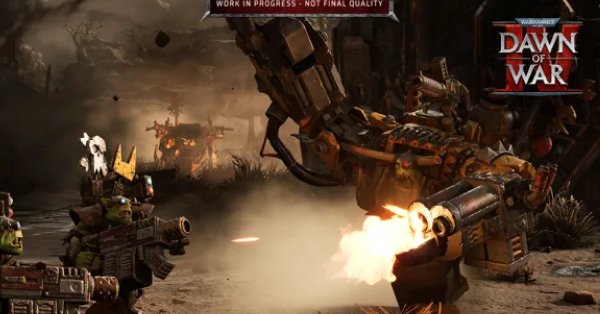
The campaign has always been the heart of Dawn of War for me epic RTS battles wrapped in wild, operatic Warhammer drama. But after going hands-on with the opening of Dawn of War 4, it’s clear this time things kick off louder, rowdier, and way more Orky.

Instead of slow-burning lore, the game opens with pure chaos:
Two rival Ork warbosses. One planet. One throne.

👑 Gorgutz – the legendary old warboss who loves massive war machines and overwhelming firepower.
🐗 Guzcutta – a younger, rebellious boss who favors beasts, speed, and savage close-quarters brutality.

Their rivalry sets the tone for the entire campaign, and you eventually get to choose who you back branching the story in different directions.

What really stands out:

  • Orks feel distinct thanks to the Waaagh! system and horde-style momentum.
  • Missions reward aggression and smart flanking.
  • Competitive objectives (like racing your rival to destroy an enemy base) add real tension.
  • Choices actually matter, shaping future missions and endings.

If the rest of the campaign maintains this energy, Dawn of War 4 might deliver one of the most dynamic RTS story experiences in years.

WAAAGH or WAR MACHINE?
Which boss would you side with Guzcutta or Gorgutz? 💬🔥

make it more detailed

🔥 Hands-On with the Ork Campaign in Warhammer 40,000: Dawn of War 4 Louder, Meaner, and More Chaotic Than Ever

The Dawn of War series has always shined brightest in its campaign mode where large-scale RTS combat meets the outrageous, operatic drama of the Warhammer 40K universe. After going hands-on with the opening stretch of Dawn of War 4, it’s clear this tradition continues… but with a heavier dose of attitude, speed, and Ork-fueled madness.

This time around, each of the four factions gets its own dedicated campaign thread that fits into a larger, interconnected narrative. Chronologically, the Orks kick things off and honestly, there’s no better faction to start a galactic mess.


🧨 The Spark That Ignites Everything

The story begins with an Ork invasion led by the infamous warboss Gorgutz, whose forces crash into the world of Kronus while hunting the Blood Ravens. Gorgutz expects to take command immediately but Kronus already has a boss.

Enter Guzcutta: a younger, scrappier Ork who has grown up ruling the local clans and earned their loyalty. Where Gorgutz prefers towering war machines and excessive firepower, Guzcutta leans into savage beasts, fast strikes, and raw aggression.

From the very first mission, the game establishes a powerful tension:
Two bosses.
Two philosophies of war.
Only one can rule.


⚙️ Learning What Makes Orks Orks

After a short tutorial featuring Space Marines and Imperial Guard, the Ork campaign becomes your real introduction to faction identity.

Key highlights:

  • Waaagh! System rewards constant aggression and momentum.
  • Squads grow larger and stronger through combat experience.
  • Emphasis on mobility, flanking, and overwhelming pressure.

Early enemies include Adeptus Mechanicus forces fragile in melee but deadly at range. This pushes you to:

  • Use Squighog Riders to circle and hit from behind
  • Leap over defenses with Stormboyz
  • Tank damage with tougher Beast Snagga Boyz

The result is a faction that’s easy to understand, but surprisingly deep if you want to optimize your tactics.


💥 When the Big Boss Arrives

Mission two shifts gears as Gorgutz’s massive space hulk finally crashes onto Kronus in a colossal explosion. Guzcutta’s boyz investigate the wreckage, fight off AdMech scavengers, and eventually encounter Gorgutz’s surviving forces.

Both warbosses claim credit.
Both believe they deserve the crown.

The rivalry is now official and it drives everything that follows.


🏁 One of the Best Missions So Far: Da Race

In this standout scenario, Guzcutta and Gorgutz race on opposite sides of the map to see who can destroy an AdMech base first.

Why it works:

  • You can’t rely only on brute force anymore
  • Efficiency, unit control, and smart routing matter
  • You can even harass Gorgutz to slow him down at the cost of your own progress

It’s tense, fast, and perfectly embodies Ork philosophy: win by smashing faster than the other guy.


🔀 Branching Paths & Multiple Endings

After this point, the campaign branches. Missions you choose will tilt power toward Guzcutta or Gorgutz, ultimately determining who becomes the true boss of Kronus.

Examples include:

  • Gathering scrap to build Deff Dreads
  • Taming massive beasts like the Squigasaur (which becomes Guzcutta’s mount and alters his playstyle)

The promise of multiple outcomes for just the first of four campaigns is huge and gives real replay value.


🧠 Final Thoughts

Dawn of War 4’s Ork campaign isn’t just loud and fun it’s smartly designed, mechanically engaging, and packed with personality. The rivalry between Guzcutta and Gorgutz adds emotional weight to what could’ve been a simple smash-fest.

If this opening chapter is any indication, Dawn of War 4 may deliver one of the strongest RTS campaigns in years.

Like: The Game Awards 2024 Nominees Unveiled: A Blend of Blockbusters and Indies

So…
🐗 Guzcutta’s beast-riding rebellion?
🤖 Or Gorgutz’s towering war machine empire?

Which boss are you backing? 💬🔥

Best Video to Text Tools 2026

0
Best video to text tools 2026

In 2026, converting video content into accurate, readable text is faster and more important than ever. From creators and educators to marketers and businesses, video-to-text tools help turn videos into transcripts, captions, subtitles, and searchable documents in minutes.

In this guide, we explore the best video to text tools in 2026, highlighting what they offer, who they’re for, and why they stand out.


What to Look for in a Video-to-Text Tool

Before choosing a tool, consider these key features:

  • High transcription accuracy
  • Support for multiple languages
  • Fast processing speed
  • Export formats like TXT, DOCX, SRT, and VTT
  • AI-powered summaries and keyword extraction
  • Integrations with platforms like YouTube, Zoom, and Google Drive

1. OpenAI Video Transcription API

Best for: Developers and custom automation

OpenAI’s video transcription API provides industry-leading accuracy powered by advanced AI models. It can handle long videos, detect speakers, and generate timestamps automatically.

Key Features

  • Speaker identification
  • Timestamped transcripts
  • Multilingual support
  • Summaries and keyword extraction

Ideal for: SaaS platforms, automated captioning systems, and custom apps.


2. Descript

Best for: Content creators and podcasters

Descript allows users to edit audio and video simply by editing text. This makes it one of the most creator-friendly video-to-text tools available.

Key Features

  • Real-time transcription
  • Text-based audio/video editing
  • Subtitle export (SRT, VTT)
  • Collaboration tools

Ideal for: YouTubers, podcasters, and social media creators.


3. Otter.ai

Best for: Meetings and lectures

Otter.ai excels at real-time transcription for meetings, interviews, and classroom recordings. It also organizes transcripts into searchable notes.

Key Features

  • Live transcription
  • Speaker recognition
  • Cloud storage and search
  • Sharing and collaboration

Ideal for: Students, teachers, and business teams.


4. Trint

Best for: Professional teams

Trint combines powerful AI transcription with collaborative editing tools, making it suitable for newsrooms and corporate environments.

Key Features

  • AI correction suggestions
  • Team collaboration workspace
  • Multiple export formats
  • Secure cloud storage

Ideal for: Journalists, editors, and enterprise teams.


5. Happy Scribe

Best for: Multilingual transcription

Happy Scribe supports over 100 languages and offers both automated and human-reviewed transcription services.

Key Features

  • Large language library
  • Subtitle and translation tools
  • Easy editor interface
  • Affordable plans

Ideal for: International creators and multilingual teams.


Quick Comparison

ToolAccuracyReal-TimeMulti-LanguageBest For
OpenAI APIHighNoYesDevelopers
DescriptHighYesLimitedCreators
Otter.aiHighYesLimitedMeetings
TrintHighNoLimitedTeams
Happy ScribeHighNoYesMultilingual

Tips for Better Transcriptions

  • Use high-quality audio whenever possible
  • Reduce background noise
  • Review and edit transcripts before publishing
  • Choose tools that support your primary language

Final Thoughts

The best video-to-text tools in 2026 make content more accessible, searchable, and reusable. Whether you’re building apps, creating videos, or capturing meetings, these tools can save time and boost productivity.

Like Top AI-Powered Phones of 2025

Top AI-Powered Phones of 2025: The Smartest Smartphones You Can Buy

0
AI-powered phones 2025

The smartphone industry is shifting fast, and 2025 is officially the year of AI-powered phones. These devices don’t just come with faster processors they’re built around intelligent systems that learn, adapt, and enhance your experience automatically.

From smarter cameras to real-time content creation and powerful on device processing, here are the top AI driven smartphones leading the charge this year.


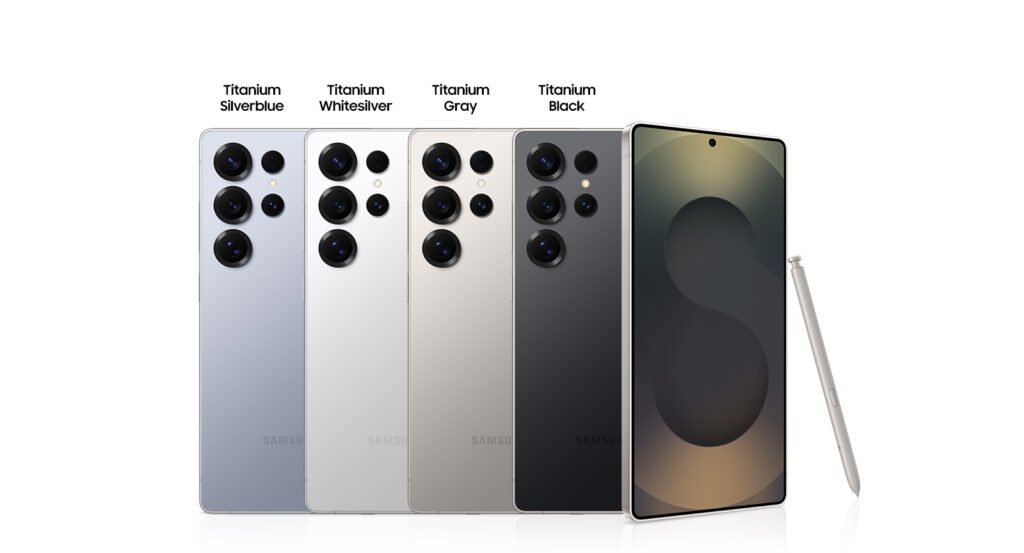
🟦 Samsung Galaxy S25 Ultra

Samsung’s flagship sets a new standard for AI integration.

  • Galaxy AI features like Generative Edit, Live Translation, and Audio Eraser
  • Custom Snapdragon 8 Elite chip optimized for advanced AI tasks
  • Deep Google Gemini integration for multimodal processing

Perfect for creators, professionals, and power users who want speed + intelligence.

AI-powered phones 2025

🟧 Honor Magic 8 Pro

Honor’s most ambitious device yet, branded as a self-evolving AI smartphone.

  • Dedicated AI Button launching the YOYO Agent
  • YOYO performs tasks automatically: organizing photos, drafting emails, optimizing performance
  • Strong AI-driven camera system with advanced color processing

A great pick for users who want automation everywhere.

AI-powered phones 2025

🟨 Google Pixel 9 Pro

Pixel continues to dominate the AI landscape with Google’s Tensor chip.

  • Gemini powered smart replies, summaries, search
  • Magic Editor, Magic Eraser, real time speech and translation tools
  • Extremely powerful on-device AI processing

Ideal for everyday users who want intelligent help in real time.

AI-powered phones 2025

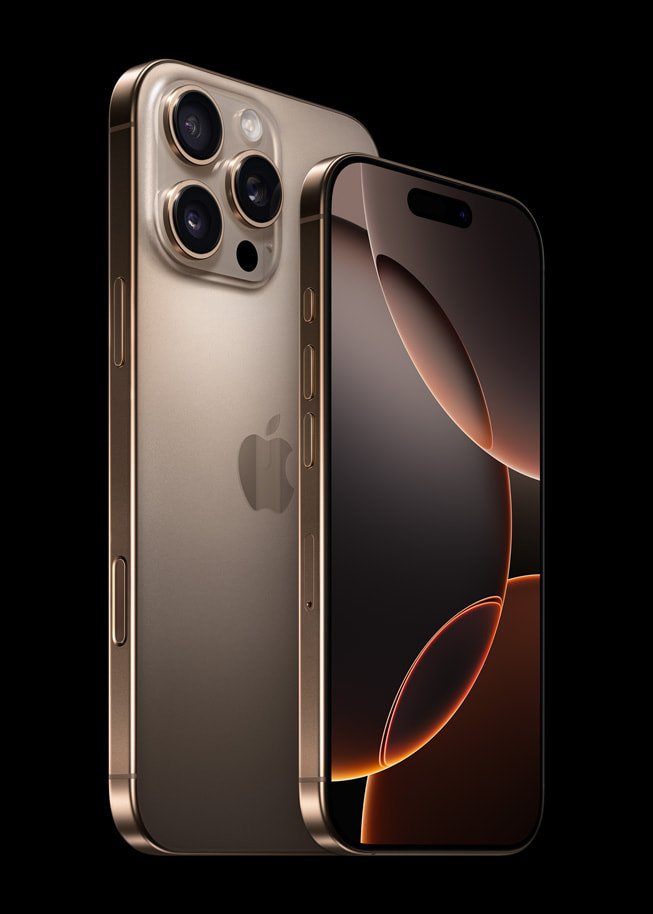
🟩 Apple iPhone 16 Pro Max

Apple Intelligence pushes privacy first AI to the next level.

  • On device Neural Engine for secure, fast AI
  • Smart writing tools, image generation, and detailed text analysis
  • More powerful and context-aware Siri

The best pick for users inside the Apple ecosystem who value security + intelligence.

AI-powered phones 2025

🟥 OnePlus 12

A balanced, fast, creator friendly AI smartphone.

  • AI Eraser, image expansion, and enhanced scene detection
  • AI-powered call summaries, translations, and voice memo transcriptions
  • Optimized gaming and app performance via intelligent tuning

Perfect for users who want premium AI features without ultra-premium prices.

AI-powered phones 2025

🟪 ASUS Zenfone 12 Ultra

A surprisingly strong AI competitor in 2025.

  • Snapdragon 8 Elite chip for high performance AI
  • Advanced computational photography
  • On-device processing for smoother tasks and improved battery efficiency

A solid all-rounder for photography lovers and performance seekers.

AI-powered phones 2025

Conclusion

2025 marks the beginning of a new smartphone era one where AI isn’t just a feature but the heart of the entire experience. Whether you care about photography, productivity, gaming, or creativity, AI-powered phones are now delivering smarter, faster, and more personal performance than ever before.

Read also: Future of Smartphones: How AI-Powered Phones Are Changing Tech in 2025

Future of Smartphones: How AI-Powered Phones Are Changing Tech in 2025

0
AI-powered phones

The smartphone industry is entering one of its biggest shifts ever. In 2025, AI-powered phones are no longer a luxury they’re the new standard. From intelligent battery management to real-time content creation, the next generation of devices is rewriting what a “smart” phone really means.

Smarter Performance

AI now optimizes everything on the fly: app loading, heat control, RAM distribution, and power usage. Phones learn your habits and adjust automatically, giving you smoother performance without lifting a finger.

Next Level Cameras

Forget manual settings. AI handles exposure, stabilization, zoom, object tracking, and even cinematic video modes. Your phone becomes your personal director and editor.

Personalized User Experience

AI predicts what you need before you need it—whether it’s launching apps at the right moment, drafting messages, generating content, or adjusting screen settings based on environment.

Real Time AI Creation Tools

From live translation to on device video editing, the line between phone and computer is disappearing. AI tools can edit videos, generate thumbnails, plan content, and enhance audio instantly.

Privacy Gets Smarter

Most AI features now run on device, keeping your personal data more secure while delivering ultra fast responses.

Read also: How to Download Apps Not in Your Country (Android & iPhone)