الرئيسية بلوق الصفحة 2

How to Download Apps Not in Your Country (Android & iPhone)

1
download apps not in your country

Have you ever searched for an app on Google Play or the App Store only to find out it’s “not available in your country”? Don’t worry—you’re not alone. Many apps are restricted by region due to licensing, testing, or local law issues.

In this guide, we’ll walk you through five safe and effective methods to download apps that aren’t available in your country—no shady tricks or risky hacks involved.

Why Some Apps Aren’t Available in Every Country

App developers sometimes release apps in specific regions first. This could be for:

  • Beta testing before global rollout
  • Licensing restrictions (e.g., streaming apps or games)
  • Payment and compliance issues
  • Language or market-specific content

Whatever the reason, the result is the same: you can’t find or download the app in your country’s store. But you can still get it safely.


1. Change Your Store Country (Official Method)

This is the most legitimate and safe way to access apps from another region.

For Android (Google Play Store)

  1. Open Google Play Store.
  2. Go to Profile Icon → Settings → General → Account and Device Preferences.
  3. Under “Country and profiles,” select the country you want.
  4. Add a local payment method from that country if required.

⚠️ Note: You can only change your Play Store country once per year.

For iPhone (Apple App Store)

  1. Open Settings → [Your Name] → Media & Purchases → View Account.
  2. Tap Country/Region → Change Country or Region.
  3. Select your new country and enter a valid payment method.

Pros: Safe and official.
Cons: Limited changes; requires a local payment option.


2. Create a New Account for That Country

If you can’t change your country on your main account, create a new one.

Android

  • Sign out of your Google account.
  • Use a VPN to connect to the target country.
  • Create a new Google account while connected.
  • Log in with that account in Play Store and download the app.

iPhone

  • Visit appleid.apple.com and create a new Apple ID.
  • Set your country to the one where the app is available.
  • Sign in with this new Apple ID on your phone.

Pros: Works for most users.
Cons: You’ll have to manage multiple accounts.


3. Use a VPN (Virtual Private Network)

A VPN masks your location and lets you appear as if you’re browsing from another country.

Steps:

  1. Download a reputable VPN like ProtonVPN, NordVPN, or ExpressVPN.
  2. Connect to a server in the country where the app is available.
  3. Clear your Play Store or App Store cache.
  4. Search for the app again—it might now appear.

💡 Tip: VPN alone doesn’t always work with App Stores because your payment info and account metadata also define your region.

Pros: Easy to use.
Cons: May not always bypass app region locks.


4. Download APK Files (Android Only)

If you’re using Android, APK files let you manually install apps that aren’t on your Play Store.

How to do it:

  1. Visit a trusted site like APKMirror.com or APKPure.com.
  2. Download the app’s latest version.
  3. Enable Install from Unknown Sources in your settings.
  4. Open the APK and install.

⚠️ Avoid downloading from random sites—many contain malware or fake apps.

Pros: Quick and simple.
Cons: Only for Android; security risks if not careful.


5. Contact the Developer or Join Beta Programs

Some developers release region-locked apps for testing or early access. You can:

  • Email the developer via Play Store/App Store contact info.
  • Ask for a TestFlight (iOS) or Beta link (Android).
  • Join their community on Discord, Reddit, or Telegram for invite links.

Pros: Safe and direct.
Cons: Depends on developer availability or approval.


✅ Bonus Safety Tips

  • Never download apps from unknown or sketchy sources.
  • Avoid jailbreaking or rooting your device.
  • Always read user reviews on APK sites.
  • Use antivirus or Google Play Protect.
  • Backup your data before changing accounts or countries.

🧭 Quick Recap

MethodWorks onRiskNotes
Change store countryAndroid & iPhone✅ SafeNeeds local payment method
New store accountAndroid & iPhone✅ SafeManage multiple accounts
VPNAndroid & iPhone⚠️ MediumNot always guaranteed
APK sideloadingAndroid⚠️ MediumUse trusted sources only
Contact developerAndroid & iPhone✅ SafeWorks with beta/test apps

💬 Final Thoughts

Downloading apps not available in your country doesn’t have to be complicated. With these five methods, you can safely access what you need without breaking the rules or risking your device security.

If you found this guide helpful, share it and subscribe to TSTechTalk.com for more practical tech tutorials and app tips.
How to Speed Up Your Windows 11 PC in Under 10 Minutes

0
speed-up-windows-11-pc

If your Windows 11 PC feels sluggish, you don’t need to reinstall Windows — a few quick tweaks can drastically improve performance. Here’s how to speed up your Windows 11 PC in under 10 minutes.

1. Disable Startup Apps

  • Press Ctrl + Shift + Esc to open Task Manager.
  • Go to Startup apps.
  • Right-click and disable apps you don’t need at startup.

2. Enable Storage Sense

  • Go to Settings > System > Storage.
  • Turn on Storage Sense to automatically free up space.

3. Adjust Visual Effects

  • Press Windows + R, type sysdm.cpl, press Enter.
  • Go to Advanced > Performance Settings.
  • Select Adjust for best performance or customize.

4. Uninstall Bloatware

  • Open Settings > Apps > Installed apps.
  • Remove apps you never use.

5. Keep Windows Updated

  • Go to Settings > Windows Update.
  • Install the latest updates for performance and security.

Bottom Line:
With just a few minutes of cleanup and optimization, your Windows 11 PC can feel brand new without spending a dime.

Also read Why the Snapdragon X Elite Chip is a Game Changer for Windows Laptops

Apple Unveils iPhone 16 Pro with A18 Chip and Next-Gen AI Features

0
iPhone 16 Pro A18 Chip

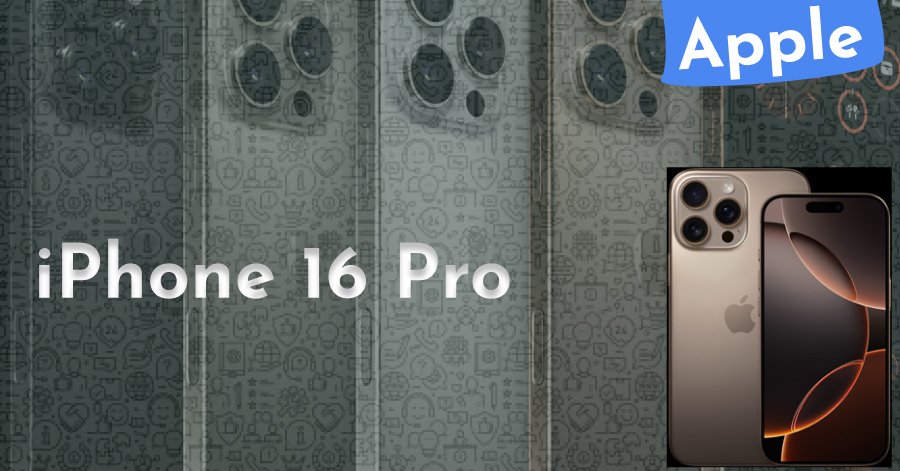
Apple has officially unveiled the iPhone 16 Pro, powered by the A18 chip, during its September 2025 event. This latest flagship marks Apple’s most significant leap in mobile performance and AI integration.

1. A18 Chip — Speed Meets Intelligence

The A18 chip is built on TSMC’s 3nm+ process, delivering up to 25% faster CPU speeds and 40% improved GPU performance. More importantly, it’s optimized for on-device AI processing, enabling new Siri capabilities, faster photo enhancements, and real-time language translations.

2. Camera Upgrades

The iPhone 16 Pro features a 48MP main sensor with improved low-light performance, a periscope zoom lens for the Pro Max model, and advanced AI scene recognition for professional-grade photography.

3. Battery & Efficiency

Thanks to the A18 chip’s efficiency, battery life has increased by nearly 2 hours compared to the iPhone 15 Pro, even under heavy workloads.

4. iOS 19 and AI Features

Running on iOS 19, the device supports new AI tools like live video object removal, personalized Siri recommendations, and on-device AI art generation.

Bottom Line: The iPhone 16 Pro with A18 chip isn’t just faster — it’s smarter, pushing the boundaries of what a smartphone can do.

iphone-16-pro-a18-chip

Read more from appple official site also read This Week’s Trending Tech News: Apple, AI & Robotics Shake Up June 2025.

How to See Facebook Pages You Follow on PC – Step-by-Step Guide

0
how-to-see-facebook-pages-you-follow-on-pc

If you’ve been using Facebook for a while, chances are you’ve followed a lot of pages over time. But finding the complete list of pages you follow on your PC isn’t always obvious. In this guide, we’ll walk you through the process step-by-step so you can easily view and manage your followed Facebook pages from your desktop browser.


Why You Might Want to Check Your Followed Pages

  • To unfollow pages you no longer enjoy
  • To discover older pages you may have forgotten
  • To organize your feed for relevant content
  • To check activity of your favorite pages quickly

Step-by-Step: How to See Facebook Pages You Follow on PC

Step 1 – Log into Facebook on Your PC

  • Open your browser (Chrome, Edge, or Firefox)
  • Go to facebook.com and sign in to your account

Step 2 – Go to Your Profile

  • Click your profile picture at the top right corner of Facebook
  • Select “three dot(…)” below edit profile

Step 3 – Access Your Activity Log

  • Click “Activity log”
  • In the right sidebar, select “Pages, page likes and interest”

Step 4 – View Your Followed Pages

  • You will now see a list of all Pages, People, and Groups you follow
  • Filter the list to show Pages you followed by date if you want see old pages you’ve followed

Step 5 – Manage Your Pages

  • Click on any page to visit it
  • To unfollow, click the Following button and select Unfollow

Tips for Managing Followed Pages

  • Review your list every few months to keep your feed relevant
  • Follow pages that align with your current interests
  • Remove pages that post too frequently or share irrelevant content

Final Thoughts
Knowing how to see Facebook pages you follow on PC helps you take control of your feed. By regularly reviewing your followed pages, you can keep your Facebook experience enjoyable and clutter-free.

How to Become a WhatsApp Tester (Join WhatsApp Beta Program)

0
How to become a WhatsApp tester

If you’ve ever wondered how people get access to new WhatsApp features before they’re officially released, you’re not alone. The secret? They’re beta testers! In this post, I’ll show you how to become a WhatsApp tester by joining the WhatsApp Beta program on both Android and iOS.

Whether you’re a curious user or a tech enthusiast, being part of the beta program allows you to explore experimental features and help improve the app.


🔍 What Is WhatsApp Beta?

The WhatsApp Beta program is a testing version of the app where users get access to new updates and features before they are publicly released. As a beta tester, you can explore the latest UI changes, experimental settings, and new privacy options—weeks or even months before others.


📱 How to Join WhatsApp Beta on Android

  1. Open the Google Play Store.
  2. Search for WhatsApp.
  3. Scroll down and look for the “Join the Beta” section.
  4. Tap “Join” and confirm your choice.
  5. Wait a few minutes for the update to roll out.
  6. Once the beta version installs, you’re officially a tester!

🔗 Direct link to WhatsApp Beta on Android:
https://play.google.com/apps/testing/com.whatsapp

⚠️ Note: Sometimes the beta program is full. If so, check back later or follow WhatsApp communities for openings.


🍏 How to Join WhatsApp Beta on iOS (iPhone)

WhatsApp uses Apple’s TestFlight platform for beta testing on iOS. Here’s how to get started:

  1. Download TestFlight from the App Store.
  2. Visit the official WhatsApp Beta invite link:
    https://testflight.apple.com/join/s4rTJVPb
  3. Tap “Accept” to join and install the beta version.

📌 Keep in mind that TestFlight has limited slots, and they fill up fast.


🧠 Pro Tips for Beta Testers

  • Keep the app updated to receive the latest beta features.
  • Provide feedback through the Google Play or TestFlight feedback tools.
  • Don’t rely on beta for critical messages—it can be unstable at times.
  • If it gets buggy, you can always leave the program and reinstall the stable version.

🎥 Watch the Full Tutorial:

Check out my full YouTube walkthrough on how to become a WhatsApp tester for step-by-step instructions:

👉 Watch on YouTube


Final Thoughts

Becoming a WhatsApp beta tester is a great way to stay ahead of the curve and experience WhatsApp’s newest innovations before anyone else. Whether you’re using Android or iPhone, it only takes a few steps to get started.

Have you joined the beta yet? Share your experience in the comments below!

Why the Snapdragon X Elite Chip is a Game Changer for Windows Laptops

1
Snapdragon X Elite Chip

Why the Snapdragon X Elite Chip is a Game Changer for Windows Laptops

In a major leap for Windows devices, Qualcomm’s Snapdragon X Elite Chip is making headlines in 2025 as a revolutionary processor that could finally challenge Apple Silicon. With early benchmarks outperforming Intel and AMD counterparts in several categories, the Snapdragon X Elite Chip is redefining what we expect from Windows laptops.

⚡ Blazing-Fast Performance

Built on the custom Oryon CPU architecture, the Snapdragon X Elite boasts 12 high-performance cores and no efficiency cores—yet still manages impressive power management. According to Qualcomm, it delivers up to 2x faster performance vs. Intel’s latest U-series chips at the same power levels.

🔋 Unmatched Battery Life

Thanks to its ARM architecture, the Snapdragon X Elite brings multi-day battery life to Windows laptops. Devices running this chip offer up to 24–30 hours of real-world use, making them ideal for mobile professionals, students, and creators alike.

🧠 AI at the Edge

The Snapdragon X Elite features an integrated NPU (neural processing unit) capable of 45 TOPS (trillions of operations per second)—far exceeding Apple’s M2 and even rivaling desktop GPUs in certain AI tasks. That makes it future-proof for the growing wave of on-device AI apps.

🖥️ Superior Graphics and Display Support

The Adreno GPU onboard can support dual 4K external displays, real-time ray tracing, and powerful game rendering. This positions the Snapdragon X Elite as a genuine option for creators and even light gamers.

💻 Seamless Windows on ARM Experience

Microsoft is working closely with Qualcomm to ensure the new ARM-based Windows devices run flawlessly. Native app support for popular platforms like Chrome, Adobe, Zoom, and Office is now standard, and emulation performance for x64 apps is vastly improved.


Final Thoughts

If you’re in the market for a new Windows laptop in 2025, don’t overlook models powered by the Snapdragon X Elite Chip. Whether you prioritize battery life, performance, or AI capabilities, this processor represents a bold new era for Windows on ARM. It’s not just a competitor to Apple Silicon—it might just be a better alternative.

Top 10 Tech Friends of Jeffrey Epstein: Detailed Analysis and Context

0
tech friends of Jeffrey Epstein

This post examines ten prominent figures in tech who had documented ties with Jeffrey Epstein—philanthropic, academic, or social. Each summary includes background, nature of the connection, and current relevance.


1. Bill Gates


2. Joi Ito


3. Seth Lloyd

MIT professor who received approximately $225K in Epstein-backed grants, visited Epstein’s island, and later issued public apologies Reuters+4Wikipedia+4The Times+4.


4. Joscha Bach

AI researcher hired at MIT partially due to Epstein-funded programs (~$300K). Investigated by the institute; no personal misconduct proven publicly Business InsiderWikipedia.


5. Elon Musk

  • Ties: Seen with Epstein associate Ghislaine Maxwell in 2014; purported rumor he sought Epstein’s help for Tesla chairman search Business Insider.
  • Musk’s view: Denied the advisory rumor; emphasized he never worked with Epstein and criticized slow release of related docs—calling for more transparency The Times.

6. Reid Hoffman

Linked via Epstein‑hosted dinners and academic fundraisers. No allegations of wrongdoing; ties surfaced in event logs but lacked legal substantiation Business Insider.


7. Sergey Brin & Larry Page

Reuters and trial testimony via JPMorgan exec Jes Staley indicate Epstein introduced them to Epstein-linked networks, though claims remain speculative and unproven The Times+1The Wall Street Journal+1.


8. Nathan Myhrvold

Former Microsoft CTO and founder of Intellectual Ventures. Epstein visited his firm, allegedly with underage girls—Myhrvold denied awareness or involvement Wikipedia.


9. Marvin Minsky (deceased)

MIT AI pioneer supported by a $100K grant from Epstein in 2002. Named in island references, though no wrongdoing was alleged WikipediaBusiness Insider.


10. Scott Borgerson

CargoMetrics CEO whose home was briefly associated with Maxwell. He clarified she was a former friend and that she didn’t reside with him Business Insider.


📝 Important Notes

Lack of Evidence for Wrongdoing: Being associated with Epstein does not imply participation in his crimes. Most ties were professional, philanthropic, or incidental—many distanced themselves publicly after his conviction.

Speculative Sources: Wired-in names like Page, Brin, Thiel (not included above) sometimes appear in X posts or less-verified claims. These lack court or major-media corroboration and should be considered inconclusive.

Context of Connections: Epstein pursued relationships with science and tech figures to bolster his “science philanthropist” persona, often through donations or event hosting. Many relationships were transactional or superficial.

Data Limitations: This list is based on open-source reporting, news, court filings, and public X posts up to July 19, 2025. Additional documents or revelations could alter the landscape.


Conclusion

This detailed review of the top 10 tech friends of Jeffrey Epstein exposes a complex web of connections—many tied to philanthropy, academic funding, or social mingling. Importantly, none had proven criminal involvement. As further documents are released after July 2025, the picture may continue to shift.

if you like tech friends of Jeffrey Epstein then read this Top 10 Most Followed X (Twitter) Accounts in 2025 and How They Monetize Their Audience

Top 10 Most Followed X (Twitter) Accounts in 2025 and How They Monetize Their Audience

1
Most Followed X (Twitter) Accounts

In 2025, influence is currency — and no platform showcases this better than X (formerly Twitter). But having millions of followers means little if you don’t know how to monetize that reach.

In this post, we’ll explore the most followed X (Twitter) accounts in 2025 and break down exactly how these creators and personalities earn from their massive audiences.

Let’s dive in 👇

1. Elon Musk – 185M+ Followers

  • Username: @elonmusk
  • Monetization Methods:
  • Premium X subscriptions
  • Tesla/SpaceX product launches
  • Ad revenue share
  • Why it works: Elon uses X as a direct-to-consumer megaphone. Every tweet becomes a business move, from tech launches to memes.

2. MrBeast – 160M+ Followers

  • Username: @MrBeast
  • Monetization Methods:
  • Creator Ad Revenue
  • Brand partnerships (Shopify, Amazon)
  • MrBeast Burger, Feastables
  • Why it works: MrBeast converts attention into revenue through product integration, sponsorships, and viral content.

3. Narendra Modi – 140M+ Followers

  • Username: @narendramodi
  • Monetization Methods:
  • Political influence
  • Global PR reach
  • Why it works: While not monetized commercially, Modi uses X as a strategic communication platform, shaping policy and public opinion.

4. Barack Obama – 133M+ Followers

  • Username: @BarackObama
  • Monetization Methods:
  • Book releases
  • Speaking engagements
  • Netflix content deals
  • Why it works: Obama’s digital presence supports a broader media and speaking business ecosystem.

5. Cristiano Ronaldo – 130M+ Followers

  • Username: @Cristiano
  • Monetization Methods:
  • Brand endorsements (Nike, Herbalife)
  • Personal brand products
  • Ad revenue
  • Why it works: He bridges sports stardom with influencer economics.

6. Taylor Swift – 120M+ Followers

  • Username: @taylorswift13
  • Monetization Methods:
  • Tour promotions
  • Exclusive drops
  • Streaming boosts
  • Why it works: Swift’s loyal fanbase turns every announcement into a trending moment — and serious revenue.

7. Rihanna – 115M+ Followers

  • Username: @rihanna
  • Monetization Methods:
  • Fenty Beauty + Savage X Fenty
  • Endorsement deals
  • Why it works: She’s built a beauty empire using X as a brand amplifier.

8. BTS – 110M+ Followers

  • Username: @BTS_twt
  • Monetization Methods:
  • Album releases
  • Concert tickets
  • Branded merch
  • Why it works: BTS leverages their loyal ARMY to dominate both the music and social media worlds.

9. Neymar Jr – 105M+ Followers

  • Username: @neymarjr
  • Monetization Methods:
  • Brand sponsorships
  • NFT collabs
  • Digital ads
  • Why it works: Neymar combines sports fame with digital relevance, opening multiple income streams.

10. Kim Kardashian – 102M+ Followers

  • Username: @KimKardashian
  • Monetization Methods:
  • SKKN skincare line
  • TV + Hulu content
  • Endorsements
  • Why it works: Kim uses her digital presence to launch and scale brands into billion-dollar businesses.

Key Takeaways 💡

  • Attention is leverage — these creators use X not just for followers, but for monetization.
  • Diversification matters — from subscriptions to products, multiple revenue streams create lasting wealth.
  • You don’t need 100M followers — you need the right audience and a smart monetization funnel.

Want More Like This?

Follow @TsTechTalk on X for daily threads on creator growth, monetization, and the latest in tech + media.

🔁 If you liked this post, share it!


FAQ – Most Followed X (Twitter) Accounts

Q: Who is the most followed X (Twitter) user in 2025?
A: Elon Musk with over 185 million followers.

Q: How do creators make money on X?
A: Through ad revenue share, subscriptions, product promotions, affiliate links, and sponsorships.

Q: Can smaller creators also monetize X?
A: Absolutely. Even with 1,000+ followers, you can earn via ad share, tips, or digital products.


Filed Under: Creator Economy, Twitter/X, Monetization, Social Media

if you like Most Followed X (Twitter) Accounts, then you can read also: Boost Your X (Twitter) Engagement: A Step-by-Step Guide to Leveraging Trending Content

How to Build a Smart Home Setup on a Budget

0
smart home setup on a budget

Creating a smart home doesn’t have to be expensive. With more affordable gadgets available in 2025, you can automate your living space without draining your wallet. Here’s how to start a smart home setup on a budget:

1. Start with a Smart Speaker Hub (Under $50)

✅ Best Options:

  • Amazon Echo Pop ($39.99) – Compact, great for Alexa voice control
  • Google Nest Mini ($49.99) – Better for Google Assistant users

✅ Key Features:

  • Voice control for lights, plugs, and more
  • Works as a hub for other smart devices
  • Multi-room audio (pair multiple speakers)

💡 Pro Tip: Choose based on your ecosystem (Alexa vs. Google Assistant).

Google Nest Mini

2. Affordable Smart Plugs (Under $20 Each)

✅ Top Brands:

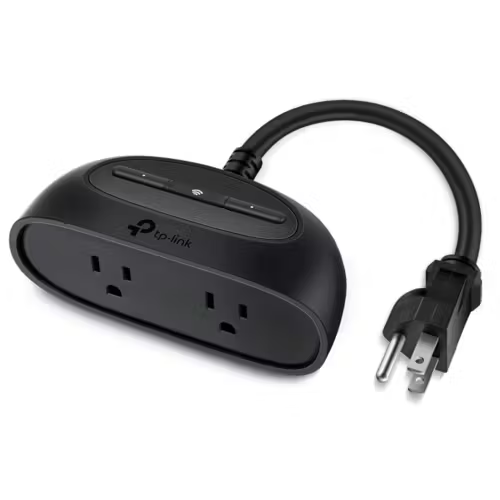
  • Kasa Smart Plug (HS103) – $17.99 (Reliable, energy monitoring)
  • TP-Link Tapo P100 – $14.99 (No hub needed)

✅ Why You Need Them:

  • Schedule lights, fans, and appliances (e.g., turn off at bedtime)
  • Energy tracking (Kasa models show power usage)
  • Works with Alexa/Google for voice control

💡 Best Use: Turn “dumb” devices into smart ones—great for lamps & coffee makers.

asa Smart Plug

3. Smart Lighting – Bulbs for Every Budget

✅ Best Budget Picks:

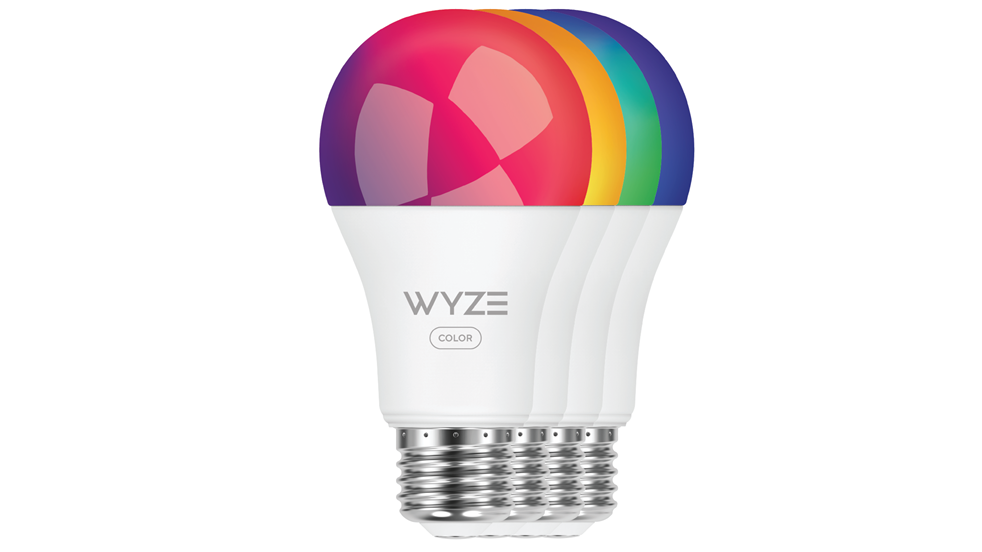
  • Wyze Bulb Color ($22.99) – 16M colors, scheduling, dimming
  • Philips Wiz Smart Bulb ($19.99) – No hub needed, energy-efficient

✅ Why Upgrade?

  • Voice & app control (change colors, set scenes)
  • Set schedules (e.g., sunrise simulation)
  • Works with smart speakers

💡 Tip: Start with 1-2 bulbs in key areas (bedroom/living room).

Wyze Bulb Color

4. DIY Security Cameras (Under $50)

✅ Top Choices:

  • Wyze Cam v4 ($35.99) – 2K resolution, local & cloud storage
  • Blink Mini ($34.99) – Amazon integration, motion alerts

✅ Key Benefits:

  • 24/7 monitoring (even when you’re away)
  • Two-way audio (talk to delivery people)
  • Works with Alexa/Google for live feeds

💡 Placement Tip: Use near entryways or as a baby monitor.

Blink Mini

5. Smart Thermostats on a Budget

✅ Best Value Picks:

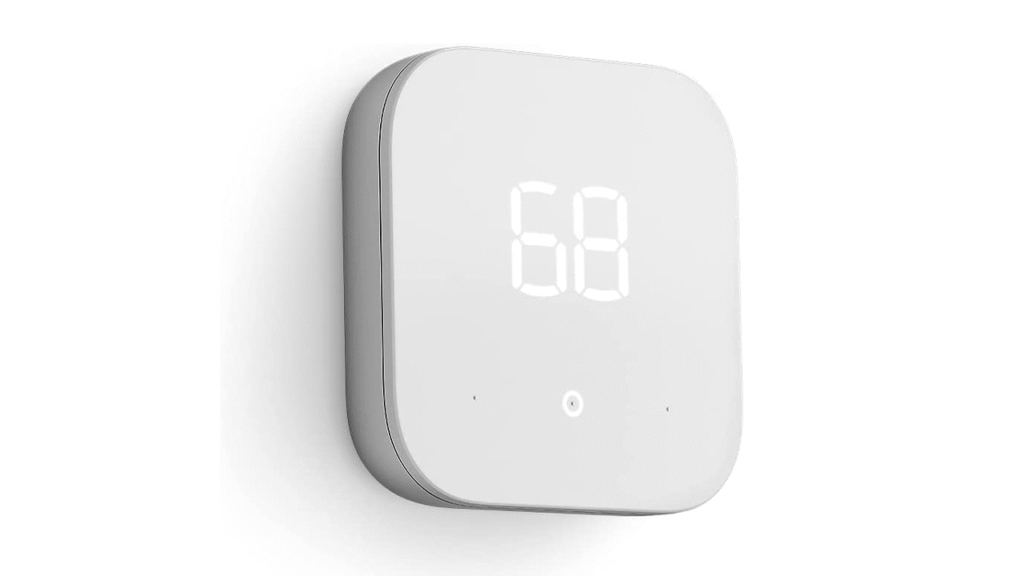
  • Amazon Smart Thermostat ($59.99, often on sale for $49)
  • Wyze Thermostat ($49.99) – Simple, app-controlled

✅ Why Install One?

  • Cuts energy bills (auto-adjusts when you’re away)
  • Voice control (Alexa/Google compatible)
  • Easy self-install (no pro needed)

💡 Best For: Apartments & small homes (saves 10-15% on HVAC costs).

Amazon Smart Thermostat

💰 Smart Home Savings Tips

✔ Wait for Sales: Prime Day, Black Friday, and Cyber Monday have huge discounts.
✔ Buy Bundles: Amazon/Google often offer speaker + plug combos.
✔ Use Automation: Set routines like “Good Morning” (lights on, thermostat adjusts).


Final Verdict: Best First Smart Home Device?

  • Just starting? Get a smart speaker + smart plug (~$60 total).
  • Want security? Add a Wyze Cam v4 ($35).
  • Biggest savings? A smart thermostat pays for itself over time.

All these devices work together! Start small, expand later, and enjoy a smarter home without overspending.

If you like smart home setup on a budget you will also like Top Three Game Gadgets Of 2024

Top AI Tools for Content Creators in 2025

0
AI tools for content creators

The rise of artificial intelligence has reshaped the content creation landscape. Whether you’re a YouTuber, blogger, or social media manager, there are powerful AI tools in 2025 that can enhance your workflow, save time, and elevate your content quality. Here are the top AI tools every content creator should try this year:

1. ChatGPT-5 by OpenAI

Perfect for drafting scripts, generating captions, or brainstorming ideas. ChatGPT-5 now integrates with voice and video editing tools, making it a true content assistant.

🔹 Key Features:

  • Advanced natural language understanding for more human-like responses.
  • Seamless integration with voice assistants and video editors (e.g., Adobe Premiere, Descript).
  • Multi-modal capabilities (text, voice, and image inputs for richer outputs).
  • Real-time collaboration for team-based content creation.

💡 Pro Tip: Use ChatGPT-5 to generate SEO-friendly blog outlines or YouTube scripts in seconds, then refine with your unique style.

2. Runway ML Gen-3

Turn text into stunning videos. Ideal for creating engaging intros, B-rolls, or animations with minimal effort.
🔹 Key Features:

  • Text-to-video with cinematic quality (no filming required).
  • Style presets for consistent branding (e.g., cyberpunk, minimalistic, vintage).
  • AI-powered motion control for smooth animations.
  • Cloud-based editing with real-time rendering.

💡 Pro Tip: Generate short-form social media clips in minutes by typing a prompt like, “A futuristic tech reveal with neon lights.”

3. Descript Studio 2025

Record, transcribe, and edit videos like a document. The 2025 update includes AI-powered dubbing and voice cloning.
🔹 Key Features:

  • AI transcription & editing (delete words to remove audio/video clips).
  • AI dubbing & voice cloning (speak in multiple languages with your voice).
  • Overdub feature for fixing mistakes without re-recording.
  • Green screen & multi-track editing for professional polish.

💡 Pro Tip: Use AI voice cloning to repurpose content in different languages without hiring voice actors.

4. Canva AI Suite

Automate graphic design with AI layout suggestions, auto-brand kits, and smart resizing. Perfect for thumbnails, posts, and banners.
🔹 Key Features:

  • AI layout generator (auto-suggests designs based on your text).
  • Auto-branding (applies your colors, fonts, and logos instantly).
  • Magic Resize – Convert one design into multiple formats (Instagram, TikTok, LinkedIn).
  • AI background remover & enhancer for pro-level edits.

💡 Pro Tip: Upload a brand mood board, and Canva’s AI will generate on-brand templates in seconds.

5. Notion AI for Content Planning

Use it for automated editorial calendars, keyword-rich outlines, and idea generation tailored to your niche.
🔹 Key Features:

  • Automated editorial calendars with scheduling reminders.
  • SEO-optimized outlines based on trending keywords.
  • AI-driven content suggestions tailored to your audience.
  • Cross-platform sync (integrate with Google Docs, Trello, Slack).

💡 Pro Tip: Use AI-generated templates to structure blog posts or video scripts for maximum engagement.

Conclusion:
These AI tools for content creators in 2025 are changing the game. Adopt the right tools to supercharge your creativity and output.

Read also: Best AI Tools for Productivity in 2025: Top Picks for Tech Enthusiasts