
الرئيسية بلوق الصفحة 3

Best AI Tools for Productivity in 2025: Top Picks for Tech Enthusiasts

1
AI tools for productivity in 2025

Introduction: AI is More Than Just a Buzzword in 2025

Artificial Intelligence is no longer the “next big thing”—it’s the current big thing. In 2025, AI tools are integrated into every aspect of our work and lives. From automating tedious tasks to helping us think more creatively, AI has become a powerful productivity partner.

Whether you’re a content creator, entrepreneur, student, or developer, there’s an AI solution designed to make your life easier. Here’s a handpicked list of the best AI tools for productivity in 2025 that are actually worth your time—and maybe even your money.


1. Notion AI – Your Second Brain for Everything

Best for: Writers, researchers, and project managers

Notion AI has evolved far beyond note-taking. In 2025, it’s a fully-fledged productivity assistant that can summarize meetings, draft blog posts, automate to-do lists, and even suggest content ideas—all within your workspace.

Why it stands out:

  • In-line AI prompts inside documents
  • Smart task prioritization
  • Seamless calendar and email integrations

2. ChatGPT Pro (with GPT-4.5) – More Than Just Chatting

Best for: Anyone who works with text, code, or ideas

The 2025 version of ChatGPT Pro goes way beyond casual conversation. It can now:

  • Analyze data sets
  • Write and debug code in seconds
  • Build outlines, content calendars, and email campaigns
  • Help you brainstorm faster with tailored prompts

It’s basically a virtual assistant, strategist, and editor rolled into one.


3. GrammarlyGO – Context-Aware Writing Assistant

Best for: Professionals, students, and teams

GrammarlyGO’s real-time suggestions have gotten smarter in 2025. It doesn’t just correct grammar—it now rewrites sentences based on tone, clarity, and audience context.

New in 2025:

  • AI persona customization (match your brand tone)
  • Integrated voice input and summary mode
  • Real-time email rewrite suggestions in Gmail and Outlook

4. Scribe – AI-Powered Process Documentation

Best for: Teams, training, onboarding

Documenting processes is painful—unless you use Scribe. This AI tool watches your screen as you perform a task and instantly creates a visual, step-by-step guide.

How it helps:

  • Automate SOPs in seconds
  • Embed walkthroughs in wikis or LMS platforms
  • Export to PDF, Markdown, or HTML instantly

5. Motion – AI Calendar That Plans Itself

Best for: Entrepreneurs and busy professionals

Motion is the AI tool for anyone drowning in meetings, tasks, and shifting deadlines. It automatically builds your schedule around priorities, deadlines, and habits.

Key features:

  • Real-time schedule optimization
  • Auto-rebooking for missed tasks
  • Deep integrations with Google Workspace, Slack, and Asana

6. Claude AI – The Calm Thinker’s Assistant

Best for: Thoughtful writing, legal research, summarization

Anthropic’s Claude has become a favorite in 2025 for its ability to handle large documents (up to 200K tokens!). It’s perfect for summarizing books, analyzing reports, or drafting policy-oriented content with clarity.


7. Fireflies – AI Meeting Transcriber and Summarizer

Best for: Teams, remote workers, and podcasters

Tired of writing meeting notes? Fireflies listens, transcribes, and summarizes your Zoom, Teams, or Meet calls. It even identifies action items and assigns them to your team.

Bonus: Search all your meetings like a Google for voice.


Conclusion: The AI Tools for Productivity in 2025 Are Here to Stay

The landscape of productivity has changed—and it’s not going back. These AI tools for productivity in 2025 are more than just apps; they’re your digital teammates. They help you focus, get creative, and stay organized like never before.

As with any tool, the value depends on how you use them. Try a few, find your fit, and let AI handle the heavy lifting while you focus on what truly matters.


What’s Your Go-To AI Tool?

Leave a comment or tag us on social: @tstechtalk
Want more AI and tech reviews? Subscribe to our newsletter or follow us on YouTube for weekly deep dives.


Visa & OpenAI Team Up on AI-Powered Intelligent Commerce

0
Intelligent Commerce

In a strategic partnership that signals the future of digital shopping, Visa has teamed up with OpenAI to launch Visa Intelligent Commerce, a platform leveraging AI agents to automate online purchases, travel bookings, and more.

How Intelligent Commerce Works

AI agents powered by OpenAI’s ChatGPT and Operator technologies can:

  • Search for products or services
  • Compare pricing across platforms
  • Fill out checkout forms
  • Execute payments with built-in user permissions

Enhanced Payment Security

Visa brings in secure payment technologies like tokenization, biometric passkeys, and real-time fraud prevention. This enables users to delegate shopping tasks to AI while maintaining full oversight and security.

Key Benefits

  • Reduces shopping cart abandonment
  • Speeds up online transactions
  • Enables hands-free, efficient purchasing

Broader Ecosystem

Partners include Microsoft, Stripe, and Anthropic, making this a robust and scalable platform ready for enterprise-level adoption.

As AI continues to blend with fintech, Visa Intelligent Commerce could become the blueprint for how we shop in an AI-driven future.

Read more about this on Router or OpenAI Launching Its Own AI‑Powered Browser to Challenge Chrome

Operator Agent Gaining Traction: OpenAI’s Browser-Enabled Task Automator

0
Operator agent

First launched in January 2025, OpenAI’s Operator agent is rapidly evolving into one of the most powerful tools within ChatGPT’s ecosystem. Built to automate real-world web tasks, Operator uses a built-in browser to interact with live websites on your behalf.

From Research Preview to Pro Tier

Initially rolled out as a research preview for select users, the Operator agent is now available to ChatGPT Pro users and is integrated into the o3 model tier. It can carry out multi-step actions like logging in, searching, filtering, and completing forms online.

What Can It Do?

The Operator agent handles:

  • Travel bookings and reservations
  • Product comparisons and purchases
  • Data entry and form automation
  • Navigating internal portals and dashboards

03 Upgrade for Precision

The new o3 model upgrade brings enhanced reasoning, reliability, and browser control. Tests on benchmarks like WebArena show that Operator now outperforms older versions in task accuracy and completion speed.

What This Means for Users

For users, this means an AI assistant that doesn’t just suggest—it acts. It saves time, reduces friction in workflows, and brings true productivity AI to life.

Read also: OpenAI Launching Its Own AI‑Powered Browser to Challenge Chrome and about chromium

OpenAI Launching Its Own AI‑Powered Browser to Challenge Chrome

2
openai-ai-powered-browser

In a move that could reshape how we browse the web, OpenAI is reportedly preparing to launch its very own AI-powered browser. This development is set to challenge established giants like Google Chrome and Microsoft Edge by embedding conversational AI and task automation directly into the browsing experience.

Built on Chromium

The browser is expected to be based on Chromium, the same open-source foundation behind Google Chrome and Microsoft Edge. This ensures compatibility with existing web standards and extensions, while layering in OpenAI’s proprietary intelligence features.

Native ChatGPT & Operator Integration

At the core of this browser lies native integration of ChatGPT and the Operator agent, making the browsing experience highly interactive and context-aware. Users can ask questions, summarize web pages, automate tasks, and even fill out forms—all through natural language.

AI-Powered Features

Some anticipated features include:

  • Voice and text interactions with web pages
  • Real-time summarization of long articles and PDFs
  • Task automation (e.g. booking travel, checking out on e-commerce sites)
  • Contextual memory to recall past browsing sessions and preferences

Privacy and Competition

While exciting, this move raises questions about data privacy and competition. OpenAI claims its approach prioritizes user control, but given its relationship with Microsoft and the growing concern over AI data practices, privacy advocates are watching closely.

This browser is expected to enter preview “in the coming weeks” and will initially be available to a limited group of users before broader rollout.

Learn more on AI‑powered browser : Which Browsers Are Built on Chromium? A Complete List (2024)

Which Browsers Are Built on Chromium? A Complete List (2024)

1
Chromium-based browsers

Introduction

Chromium is the open-source project behind some of the world’s most popular web browsers. Developed by Google, Chromium serves as the foundation for many browsers, offering speed, security, and extensibility. But which browsers actually use Chromium today? Let’s explore the full list.

What Is Chromium?

Chromium is a free, open-source browser project that provides the core framework for many modern browsers. It includes the Blink rendering engine and V8 JavaScript engine, ensuring fast and efficient performance.

Popular Browsers Built on Chromium

Here are the most well-known browsers currently based on Chromium:

1. Google Chrome

  • The most widely used Chromium-based browser.
  • Adds proprietary features like automatic updates and additional media codecs.

2. Microsoft Edge

  • Replaced legacy EdgeHTML with Chromium in 2020.
  • Optimized for Windows but available on multiple platforms.

3. Opera

  • Uses Chromium while adding unique features like a built-in VPN and ad blocker.

4. Brave

  • Focuses on privacy with built-in tracker blocking and ad removal.
  • Rewards users with BAT (Basic Attention Token) for viewing privacy-respecting ads.

5. Vivaldi

  • Highly customizable with advanced tab management and productivity tools.

6. Samsung Internet

  • Default browser on Samsung devices, now Chromium-based for better performance.

7. Arc (by The Browser Company)

  • A newer, Chromium-based browser with a focus on minimalism and workspace organization.

8. Epic Privacy Browser

  • Emphasizes privacy with always-on incognito mode and no tracking.

Why Does Chromium Dominate?

✅ Performance – Fast page loading and smooth browsing.
✅ Security – Regular updates and sandboxing.
✅ Extensibility – Supports Chrome Web Store extensions.

However, some critics argue that Chromium’s dominance reduces browser diversity, potentially harming web standards.

Final Thoughts

Most major browsers today rely on Chromium, offering users speed, security, and compatibility. Whether you prefer Chrome’s ecosystem, Edge’s integration, or Brave’s privacy focus, Chromium powers them all.

Which Chromium-based browser do you use? Let us know in the comments!

Read also: OpenAI Launching Its Own AI‑Powered Browser to Challenge Chrome

This Week’s Trending Tech News: Apple, AI & Robotics Shake Up June 2025

1
trending tech news this week

Trending Tech News This Week 🚀

  1. Apple WWDC 2025 rolls out iOS 26, macOS Tahoe & “Liquid Glass” UI
    At WWDC (June 9–13), Apple unveiled a sweeping visual overhaul across iOS 26, macOS 26 “Tahoe” and iPadOS 26 with the new “Liquid Glass” design. Highlights include expanded Apple Intelligence features, deeper multitasking on iPad, a new CarPlay Ultra dashboard, and a Game-centric hub—essentially a major UI refresh without new hardware this time.
  2. Mistral AI debuts enterprise coding assistant
    Mistral AI introduced “Mistral Code,” a Copilot-style AI geared for enterprise use. It supports on‑premises deployment, robust privacy, and code assistance across 80+ languages—marking a strong challenge to GitHub Copilot.
  3. UK court warns against fake AI legal citations
    England’s High Court cautioned lawyers after instances of AI-generated fake case references. Out of 45 cited cases, 18 were entirely fabricated—highlighting risks of blindly trusting AI without verification
  4. Anthropic & Zapier integrate agent-based AI automation
    Anthropic’s Claude is now powering Zapier automations across 8,000+ apps, enabling enterprise users to build intelligent workflows with minimal coding—one of the strongest demos yet of widespread, practical AI usage.
  5. Home robotics boom on the horizon
    New industry data shows 1 in 10 households now owns robot vacuums (and 1 in 7 plan to buy one), with sales of robot lawn mowers in the UK passing £300 million in 2024—driven by young, tech-savvy homeowners.

🔍 Pro Tip for Readers

Keep an eye out for Apple’s public betas in coming months, and explore how Mistral Code and Claude+Zapier can fit into your development or business operations.

Similar to trending tech news this weekTrending Tech News on Social Media (May 31, 2025)
Source: Tech rader, Ap news and The times

How to Turn Off Auto-Download for Media on WhatsApp

0
turn off auto-download for media on WhatsApp

How to Turn Off Auto-Download for Media on WhatsApp
Are you tired of WhatsApp automatically downloading every photo, video, or document sent to you? Whether you’re concerned about saving mobile data, preserving storage, or just want more control, you’re in the right place. In this article, we’ll show you how to turn off auto-download for media on WhatsApp in just a few easy steps.

🚫 What Is Auto-Download on WhatsApp?
WhatsApp’s auto-download feature is turned on by default. That means all incoming images, audio, videos, and documents are automatically saved to your device when you’re connected to mobile data, Wi-Fi, or even roaming.

While this may be convenient, it can:

Drain mobile data

Fill up your phone storage quickly

Download unwanted content automatically

📱 How to Turn Off Auto-Download on WhatsApp (Android & iPhone)

Follow these steps to disable auto-download for all media types:

✅ Step 1: Open WhatsApp
Launch the WhatsApp app on your smartphone.

✅ Step 2: Go to Settings
Tap the three dots (Android) in the top-right corner and select Settings

On iPhone, tap Settings in the bottom-right corner

✅ Step 3: Tap on “Storage and Data”
Under settings, choose Storage and Data

✅ Step 4: Adjust Media Auto-Download Settings
You’ll see 3 sections:

When using mobile data

When connected on Wi-Fi

When roaming

For each section:

Tap the option

Uncheck all media types – Photos, Audio, Videos, and Documents

Tap OK or Save

🎯 Why You Should Turn Off Auto-Download on WhatsApp
Save mobile data if you’re on a limited plan

Prevent storage overload by stopping automatic downloads

Reduce clutter in your phone’s gallery

Avoid downloading spam or unnecessary media

👌 Bonus Tip: View Media Without Downloading Permanently
Even if you turn off auto-download, you can still tap on any media to view or listen—WhatsApp will download it temporarily without saving it to your gallery unless you choose to.

Final Thoughts
Knowing how to turn off auto-download for media on WhatsApp helps you stay in control of what gets saved on your phone, while also improving performance and data usage. Whether you’re an Android or iPhone user, this small tweak can make a big difference in your WhatsApp experience.

Need more WhatsApp or mobile tips?
📌 Visit: https://tstechtalk.com


Use whatsapp web

Trending Tech News on Social Media (May 31, 2025)

0
Trending Tech News on Social Media

Here are the top trending tech news on social media as of May 31, 2025:

  1. Meanwhile, X (formerly Twitter) is facing a major global outage.
    On May 31, 2025, X experienced a significant global service disruption, affecting posts, replies, and direct messages. Users turned to platforms like Facebook, Instagram, and Reddit to express their frustrations and seek updates.
  2. Elon Musk’s Black Eye Sparks Speculation
    Elon Musk appeared with a black eye, leading to widespread speculation on social media. Rumors about potential drug use and his sudden departure from the Trump administration have fueled public curiosity.
  3. Instagram Tests ‘Blend’ Feature for Shared Reels
    Instagram is experimenting with a new ‘Blend’ feature, allowing two users to share a customized feed of recommended Reels, enhancing collaborative content experiences.
    Learn more>>
  4. TikTok Replaces Creator Marketplace with ‘TikTok One’
    TikTok has introduced ‘TikTok One,’ a new platform replacing the Creator Marketplace. It offers trend research, AI-powered tools, and expert insights to assist creators in enhancing their content.
  5. Bluesky Launches ‘Flashes’ Photo-Sharing App
    Bluesky has launched ‘Flashes,’ a new photo-sharing app that gained nearly 30,000 downloads within 24 hours. The app features a portfolio mode, built-in filters, and curated feeds tailored for artists.
  6. AI-Powered Content Creation on the Rise
    Artifici
    al Intelligence is increasingly being used in content creation across social media platforms. Tools like ChatGPT and DALL-E are enabling efficient generation of text and images, transforming how brands produce content.
  7. Growth of Social Commerce
    Social commerce continues to expand, with platforms like Instagram and TikTok enhancing their shopping features. Users can now discover and purchase products directly within these apps, streamlining the shopping experience.
  8. Rise of Niche Communities
    There’s a growing prominence of niche communities on platforms like Reddit, Discord, and Facebook Groups. These spaces allow users to connect over shared interests, offering brands opportunities to engage with targeted audiences.

Similar to Top Trending Tech News on Social Media read: The Game Awards 2024 Nominees Unveiled: A Blend of Blockbusters and Indies

The Game Awards 2024 Nominees Unveiled: A Blend of Blockbusters and Indies

0

The Game Awards has officially announced the nominees for its 2024 edition, spotlighting a dynamic year in gaming. The selection leans heavily toward action and role-playing games, with blockbuster titles such as Elden Ring: Shadow of the Erdtree and Black Myth: Wukong competing for Game of the Year. Notably, indie gems like Balatro and the family-friendly Astro Bot also captured significant recognition.

Top Contenders and Industry Leaders
Leading the nominations are Astro Bot and Final Fantasy VII Rebirth, both securing seven nods each. Close behind is Metaphor: ReFantazio, which received six nominations. On the corporate side, Sony Interactive Entertainment leads with 16 nominations, followed by Square Enix and Xbox, each with 12, and Sega with 11.

Game of the Year Highlights
This year’s Game of the Year category showcases an intriguing mix. Heavyweights like Astro Bot, Final Fantasy VII Rebirth, and Metaphor: ReFantazio are joined by Balatro, Elden Ring: Shadow of the Erdtree, and Black Myth: Wukong. The latter two—a DLC expansion and a polarizing action game—add variety to the lineup.

Unexpected Inclusions
While most nominations were predictable, some surprises made the list. Silent Hill 2 received a nod for Best Narrative, despite its story being over two decades old. Dragon Age: The Veilguard earned only one mention, and Star Wars Outlaws, which underperformed for Ubisoft, received three nominations.

When and Where to Watch
The winners will be revealed on December 12, 2024, during the awards ceremony, which promises a slew of game reveals and exclusive trailers. Below is the full list of nominees across all categories:

Major Categories and Nominees

Game of the Year

  • Astro Bot
  • Balatro
  • Black Myth: Wukong
  • Elden Ring: Shadow of the Erdtree
  • Final Fantasy VII Rebirth
  • Metaphor: ReFantazio

Best Game Direction

  • Astro Bot
  • Balatro
  • Black Myth: Wukong
  • Elden Ring: Shadow of the Erdtree
  • Final Fantasy VII Rebirth
  • Metaphor: ReFantazio

Best Narrative

  • Final Fantasy VII Rebirth
  • Like a Dragon: Infinite Wealth
  • Metaphor: ReFantazio
  • Senua’s Saga: Hellblade 2
  • Silent Hill 2

Best Art Direction

  • Astro Bot
  • Black Myth: Wukong
  • Elden Ring: Shadow of the Erdtree
  • Metaphor: ReFantazio
  • Neva

…and many more categories including Best Independent Game, Best VR/AR Game, and Best Mobile Game.

Stay tuned for December 12 as the gaming community gathers to celebrate the year’s achievements. For a complete list of nominees, visit The Game Awards’ official website.

Ultimate Guide to Choosing Your Next Mac Desktop: Updated for 2024

0
Choosing Your Next Mac Desktop

Choosing Your Next Mac Desktop: An Updated Guide for Every Budget

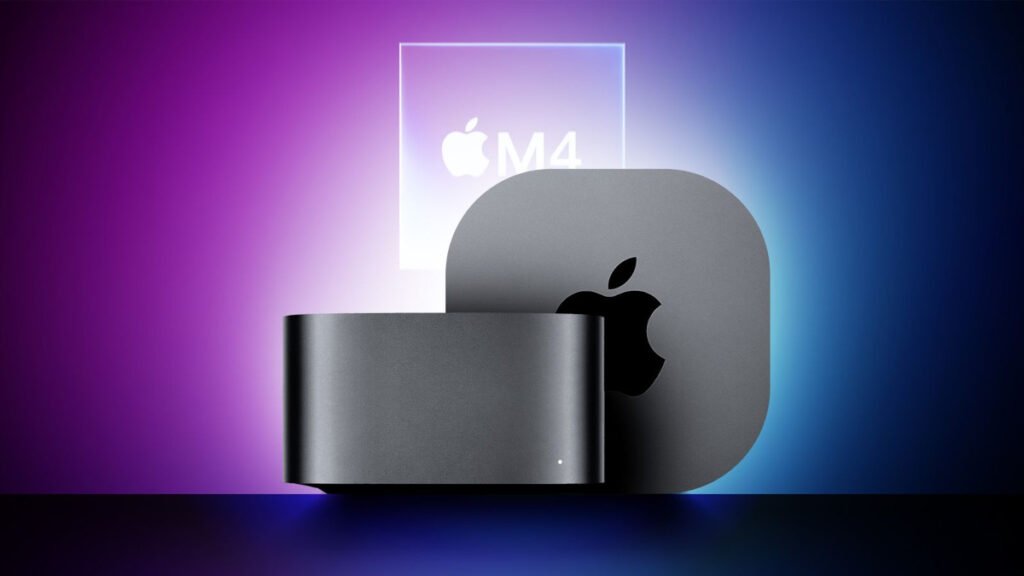
Following Apple’s recent October updates, the desktop Mac lineup has been reshaped with new options for users at nearly any price range. With the introduction of M4 chips, Apple has refreshed two major models—the iMac and Mac mini—redefining the best choices across a wide range of budgets.

Understanding Apple’s Desktop Range

Apple now offers four core Mac models: the Mac mini, 24-inch iMac, Mac Studio, and Mac Pro. Each can be configured with various chips, memory, storage options, and network capabilities, allowing flexibility for different needs. For a clearer view, it’s helpful to break down these products by their specific versions, such as the M4 and M4 Pro Mac mini, or the iMac in 2-port and 4-port variants.

Starting prices for these desktops range from $599 up to $12,199 with maxed-out upgrades, although we’ll focus here on two main categories: under $2,000 and over $2,000.

Key Upgrades to Consider

Unlike traditional PCs, Apple’s desktops—except for the Mac Pro—don’t allow for easy after-purchase upgrades. Memory, chip, and storage options need to be selected upfront, so planning ahead is essential:

  1. Memory: Memory upgrades are valuable as they benefit both CPU and GPU performance.
  2. Chip: Upgrading the chip can offer more cores for increased power, making it a worthy investment.
  3. Storage: With costs for storage upgrades being significant, consider using external storage where possible, especially if internal upgrades aren’t critical.

Macs Under $2,000: Best Buys

For users on a budget, the M4 Mac mini is a top choice, offering high performance starting at $599. It’s also the best option for those who don’t need an all-in-one display setup like the iMac. At $1,299, the 24-inch iMac is an option if you require a display, but upgrading the Mac mini at this price may offer better value.

Beyond $2,000: Advanced Options and Power Performance

As we move past $2,000, the M4 Pro Mac mini stands out, providing advanced performance with 48GB memory and 1TB storage options. The Mac Studio is also an option, though its M2 Max chip doesn’t outperform the M4 Pro in all areas, so it’s best suited for users needing higher GPU performance or expanded memory.

Final Thoughts

For most users, the M4 Mac mini and M4 Pro Mac mini are the best options for both performance and value at various price points. The Mac Studio and Mac Pro are ideal for those with specific high-performance or memory demands, though waiting for future updates may offer even better value.

Save on Your Mac Purchase

AppleInsider offers discounts on the latest M4 Mac mini, 24-inch iMac, and more. Use code APINSIDER at checkout on Adorama to save up to $300 and reduce AppleCare costs.